

AB-650 Course guide
AB-650 Exam Guide: Make a Microsoft 365 Tenant AI-Ready
What the AB-650 Microsoft 365 and AI services admin exam covers, how its 3 domains are weighted, and a hands-on plan to make a tenant AI-ready.

Copilot and AI agents can reach every file a person can open. In most tenants that is a problem waiting to happen: weak sign-ins, overshared sites, no sensitivity labels, and nobody who owns the agents.
The AB-650 exam tests whether an administrator can fix that: run Microsoft 365, govern and secure it, and manage AI services and agents on top. This guide explains what it covers and how to prepare hands-on.
The story behind the course
Pragati Industries makes pumps, with plants in Pune and Chennai, and its people work in Microsoft 365. Lab by lab, we make its tenant AI ready: identities, access, data protection, Copilot and Agent 365, monitored end to end.
The three exam domains
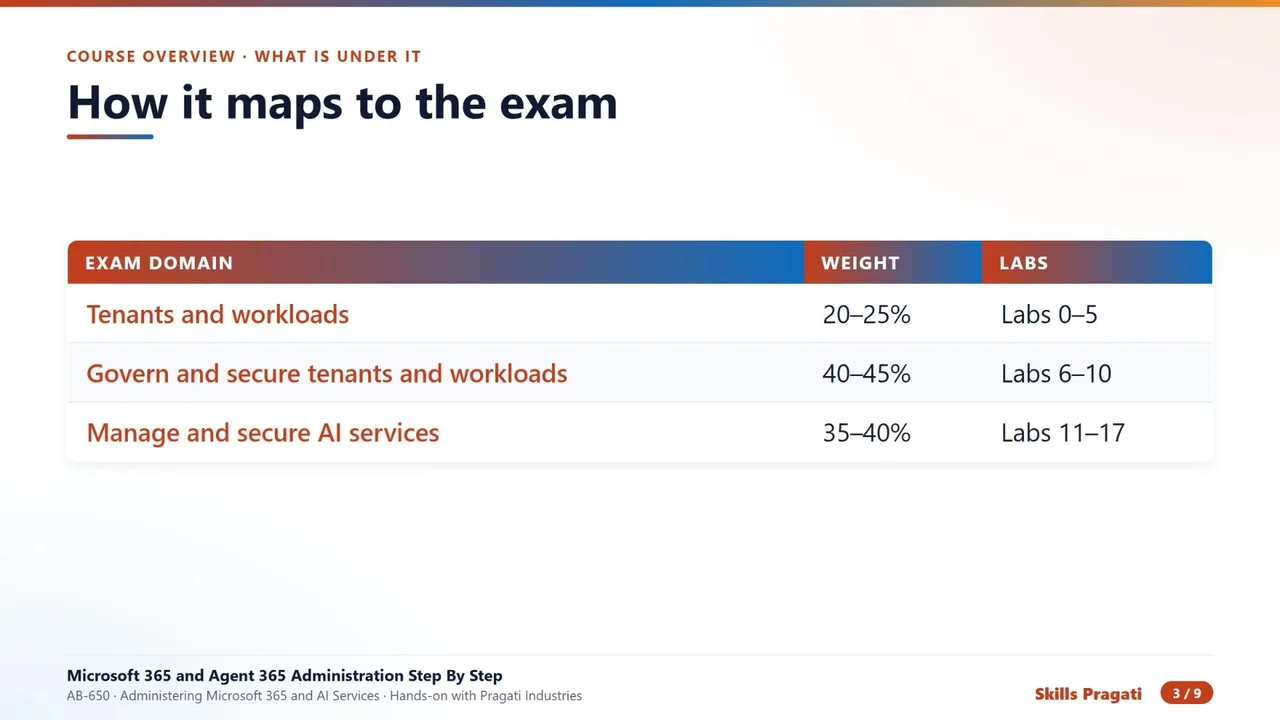
| Domain | Weight | Course labs |
|---|---|---|
| Configure and manage tenants and workloads | 20–25% | Labs 0–5 |
| Govern and secure tenants and workloads | 40–45% (the largest) | Labs 6–10 |
| Manage and secure AI services | 35–40% | Labs 11–17 |
Every skill in the official outline is practised in a lab, and Labs 18 onwards go beyond the exam, to the daily work of a real administrator. Check the official exam page for the current skills outline before you book.
What you actually build
- People, guests and groups, including a dynamic group that fills itself with everyone in Pune.
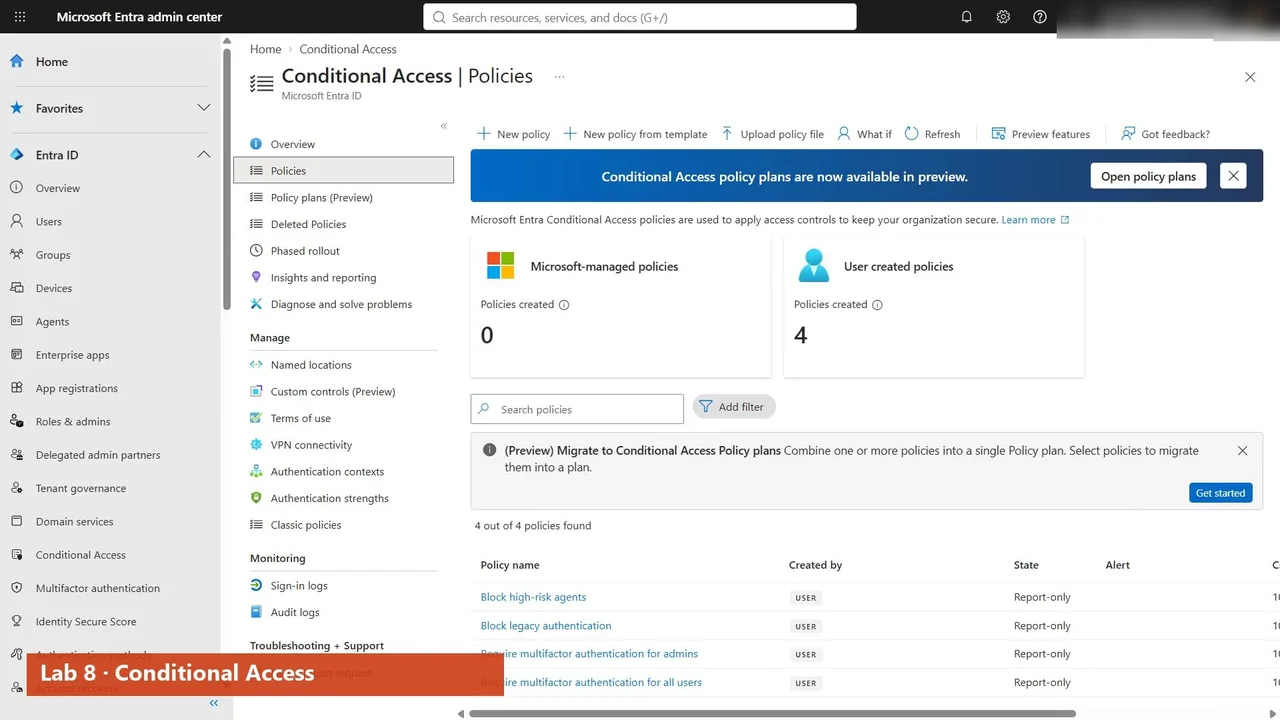
- Sign-ins protected by Conditional Access: MFA and old protocols blocked, tested safely in report-only mode.
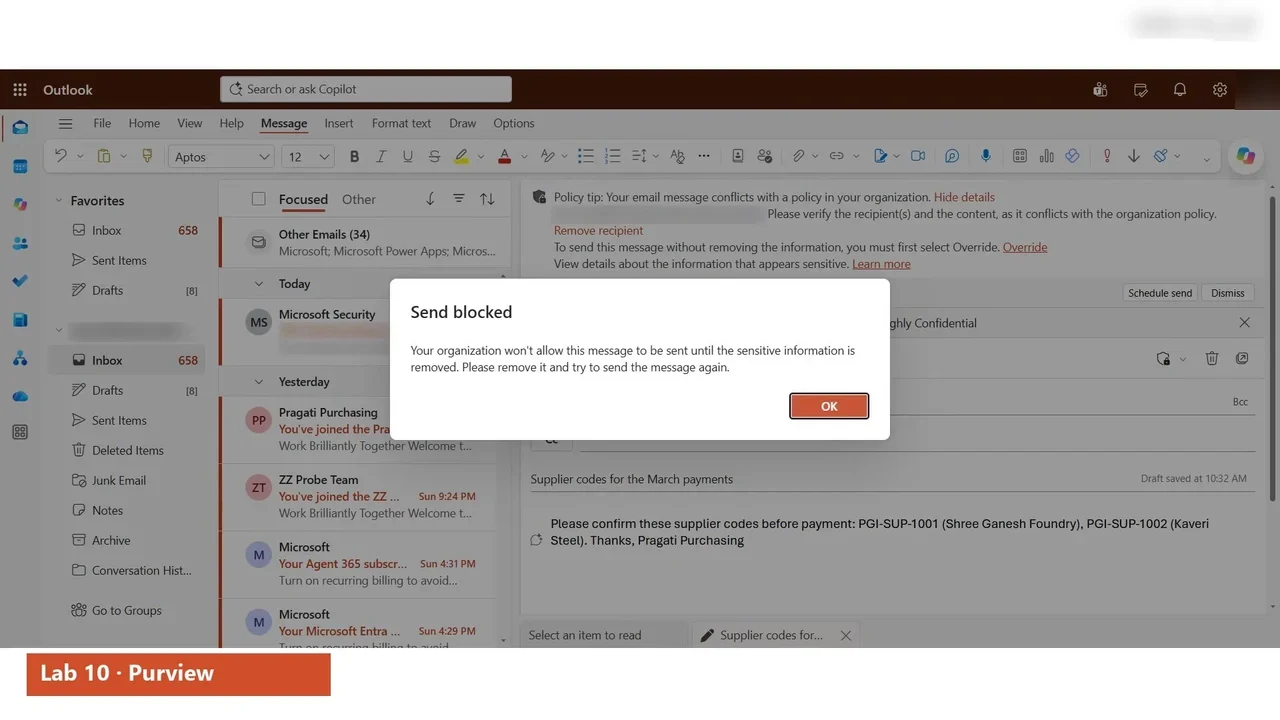
- Supplier codes in an e-mail labelled Highly Confidential by Outlook itself, and stopped by DLP from leaving the company.
- Microsoft 365 Copilot configured setting by setting, with the data checked for oversharing first.
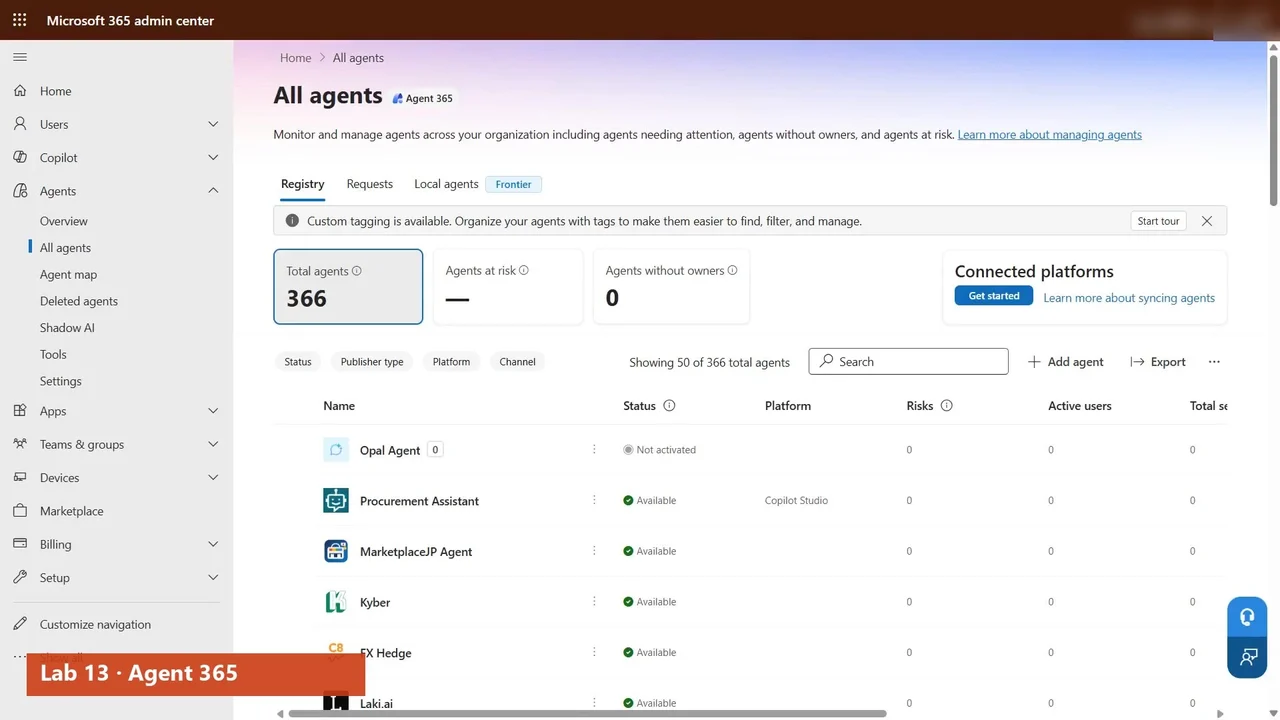
- Every agent in the Agent 365 registry: who published it, who owns it, and who may use it.
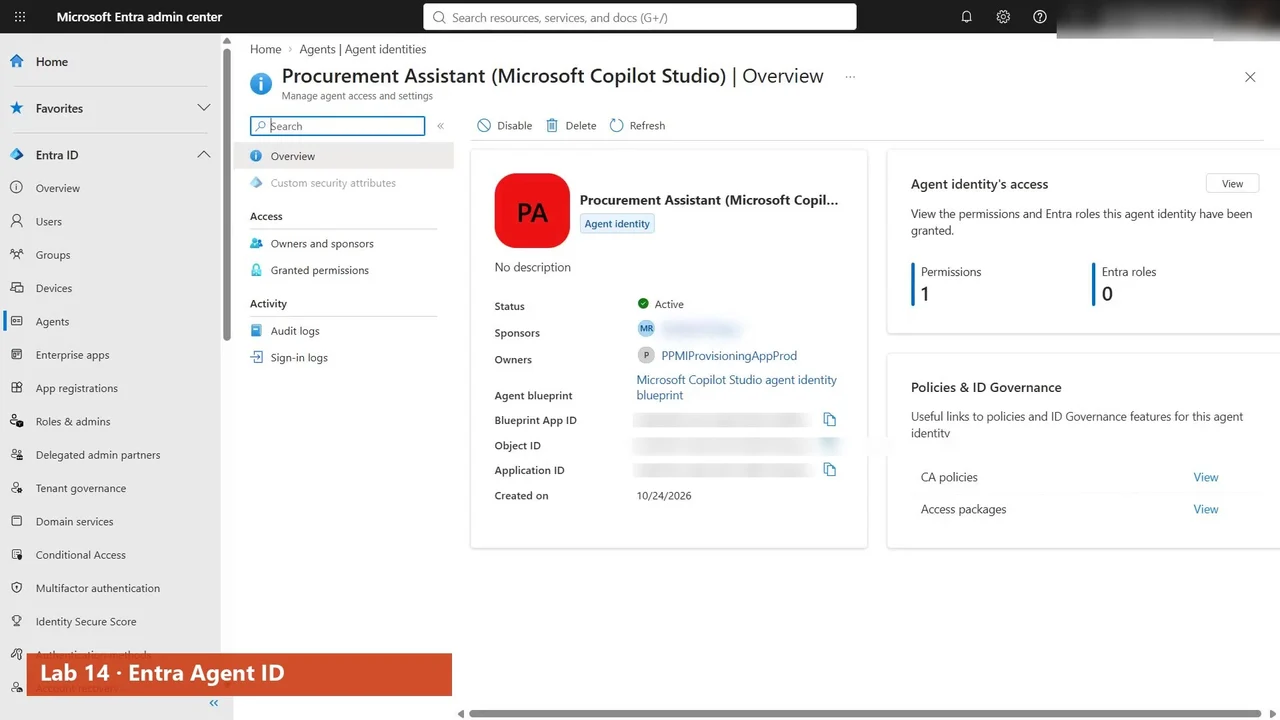
- Agent identities in Entra, with a sponsor, a lifecycle and their own Conditional Access.
A study plan that works
- Start with Lab 0: the tenant, the free trials, Pragati’s people and the tools.
- Follow the labs in order. Labels from Lab 10 protect data from Copilot in Lab 11 and from agents in Lab 15.
- Do every lab yourself, or rehearse it in the practice simulation first.
- Finish with a timed mock exam, and rewatch the labs behind your weakest domain.
The full course is free on YouTube
The overview above is the first of 46 videos. Watch them in order on the course page, then practise.
Do it yourself
- The full AB-650 courseEvery Part, free on YouTube, in order
- Hands-on lab guideThe exact steps, what it costs, how to clean up
- Practice simulationRehearse every click in your browser; the first lab is free
- Mock examFree 10-question sample, then the full timed mock scored by domain
Lab guides, practice and full mock exams come with a subscription. See the plans