

Claude Certified Architect Professional Preparation Course Course guide
Claude Certified Architect Professional: Free Prep Guide
Free 15-hour prep course for Claude Certified Architect - Professional: API engineering, tool use, MCP, agents, RAG, security, evaluation and production.
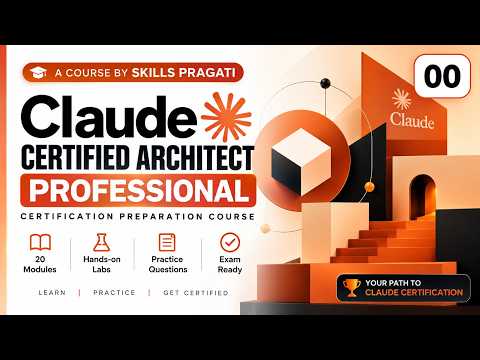
The Claude Certified Architect Professional Preparation Course is a free, in-depth course for anyone preparing for the Claude Certified Architect - Professional credential. It is built for developers, solution architects and AI engineers who design production applications on Claude and need to cover the full stack: the API, prompts and context, tool use, the Model Context Protocol (MCP), agents, retrieval, security, evaluation and cost.
It is the longest Claude course on Skills Pragati: 21 videos and about 15.2 hours of teaching on YouTube. This guide shows how the modules fit together and how to study them without getting lost. The full list is on the Claude Certified Architect Professional course page.
Who this course is for
The course is marked Professional level. It fits you best if:
- You already write code and have called a large language model API before.
- You design or review AI systems for a team or a company and must think about security, identity, observability and cost, not only prompts.
- You want one structured path that goes from Claude fundamentals to enterprise case studies.
- You are preparing for the Claude Certified Architect - Professional exam.
If you want a lighter start first, the Claude Certified Architect Foundations Course covers agent design and Claude Code in short lessons of 6 to 13 minutes.
What you will learn
The 20 numbered modules fall into six themes.
1. Claude and the API. Claude Architecture Fundamentals and Claude API Engineering set the base: how Claude-powered applications are put together and how to work with the API properly. Everything later in the course builds on these two modules.
2. Prompts, context and tools. Prompt and Context Engineering (about 56 minutes, the longest module), Claude Tool Use and Model Context Protocol teach how Claude is given instructions, information and actions. These are the core building blocks of any serious Claude application.
3. Agents and retrieval. Claude Agent Engineering, Multi Agent Architecture, RAG with Claude, Agentic RAG and Claude Code and Coding Agents move from single calls to systems that plan, use tools, look up knowledge and write code.
4. Security and responsible AI. Claude AI Security and Guardrails and Responsible AI cover how to protect an application and keep its behaviour inside safe limits. For an architect, these decisions are as important as the features.
5. Quality, performance and operations. Claude Evaluation Engineering, Performance and Cost Optimization and Claude Observability answer the questions that come after launch: is it correct, is it fast enough, what does it cost and what is it doing?
6. Enterprise and production. Enterprise Identity and Access, Claude on Cloud Platforms, Production Claude Architecture and Enterprise Architecture Case Studies put everything into the context of real organisations, before Certification Preparation brings the course to a close.
How the course is organised
There are 21 videos: a 4-minute overview and 20 modules. Each module is a long session of roughly 34 to 56 minutes, so plan each one as a proper study block rather than a quick watch.
The order is deliberate:
- Modules 01 to 05: fundamentals, API, prompts and context, tools and MCP.
- Modules 06 to 10: agents, multi-agent design, RAG, agentic RAG and coding agents.
- Modules 11 to 15: security, guardrails, evaluation, performance and cost, and observability.
- Modules 16 to 19: identity and access, cloud platforms, production architecture and case studies.
- Module 20: certification preparation.
How to study it step by step
- Watch the overview to see the full map of modules before you commit time.
- Do Modules 01 to 05 first and do not skip them, even if you have used Claude before. Later modules assume this vocabulary.
- Study one module per session. At 40 to 50 minutes each, one module plus notes is a solid one-hour block. Many learners manage three or four a week.
- Write a one-page summary per module: the main design choice it teaches, the trade-offs and one example of where you would apply it.
- Build something small alongside Modules 03 to 10. A simple tool-using assistant or a small retrieval app makes tool use, MCP and RAG far easier to remember.
- Treat Modules 11 to 15 as a checklist. For your own small project, ask the security, guardrail, evaluation, cost and observability questions each module raises.
- Read the case studies (Module 19) as exam practice. For each case, decide your architecture before the video explains its own.
- Finish with Module 20, Certification Preparation, then re-watch the modules where you felt least sure.
The course is also on YouTube as a playlist. For a deeper dive into MCP specifically, see the MCP Server Engineering Masterclass.
Frequently asked questions
Is the Claude Certified Architect Professional course free?
Yes. All 21 videos are free to watch on YouTube. You can follow them in order from the course page or the playlist.
How long will it take to finish?
The videos total about 15.2 hours. At three or four modules a week with notes, plan for roughly five to seven weeks. If you also build a small project as you go, allow extra time.
Should I take the Foundations course first?
It is not required, but it helps. The Foundations course covers agent decisions, multi-agent patterns and Claude Code configuration in short lessons, which makes the longer Professional modules easier to follow.
Is there a mock exam for this course?
Not yet. Skills Pragati does not currently offer a mock exam or practice simulation for this course. Module 20, Certification Preparation, and the case studies in Module 19 are the best readiness checks inside the course.