

SC-500 Step by step · Part 9
Zero Attack Paths in Defender CSPM: What It Really Means
Use Defender CSPM attack path analysis, the cloud security explorer and risk-based recommendations to find what an attacker would really use, step by step.

Defender for Cloud can list hundreds of recommendations for one subscription. Nobody fixes hundreds of things at once, and an attacker does not need hundreds of weaknesses. They need one path: an entry point exposed to the internet that leads to something valuable.
Defender CSPM finds those paths. This article shows how to read it, exactly as we do in Part 9 of the SC-500 course for Pragati Logistics.
How Defender CSPM ranks risk
- The cloud security graph links every resource, identity, network exposure, vulnerability and sensitive data store.
- An attack path starts at an internet-exposed entry point and ends at something valuable, such as a database with sensitive data.
- The cloud security explorer lets you ask your own questions of the graph, for example which VMs with high vulnerabilities can reach a key vault.
- Risk-based recommendations are the same recommendations, now with a risk level, so you fix the ones on an attack path first.
Exam tip: attack paths and the cloud security explorer need Defender CSPM. Foundational CSPM is free, but gives only recommendations and the secure score.
Step 1: Start from the overview
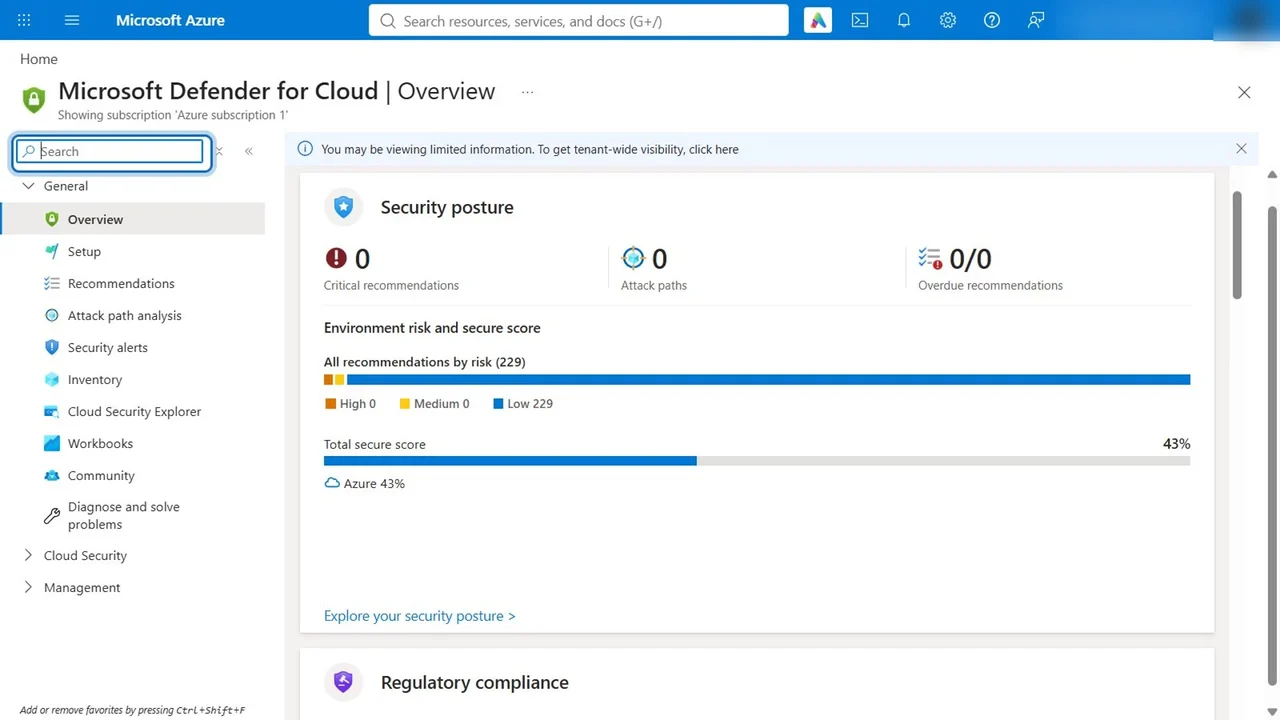
Open Microsoft Defender for Cloud → Overview. In our lab it showed 42 assessed resources, 14 security alerts from the plans we had turned on, and a secure score of 43%. The score is built from the recommendations, so every fix moves it, which makes it the number to track over time.
Step 2: Read the attack paths
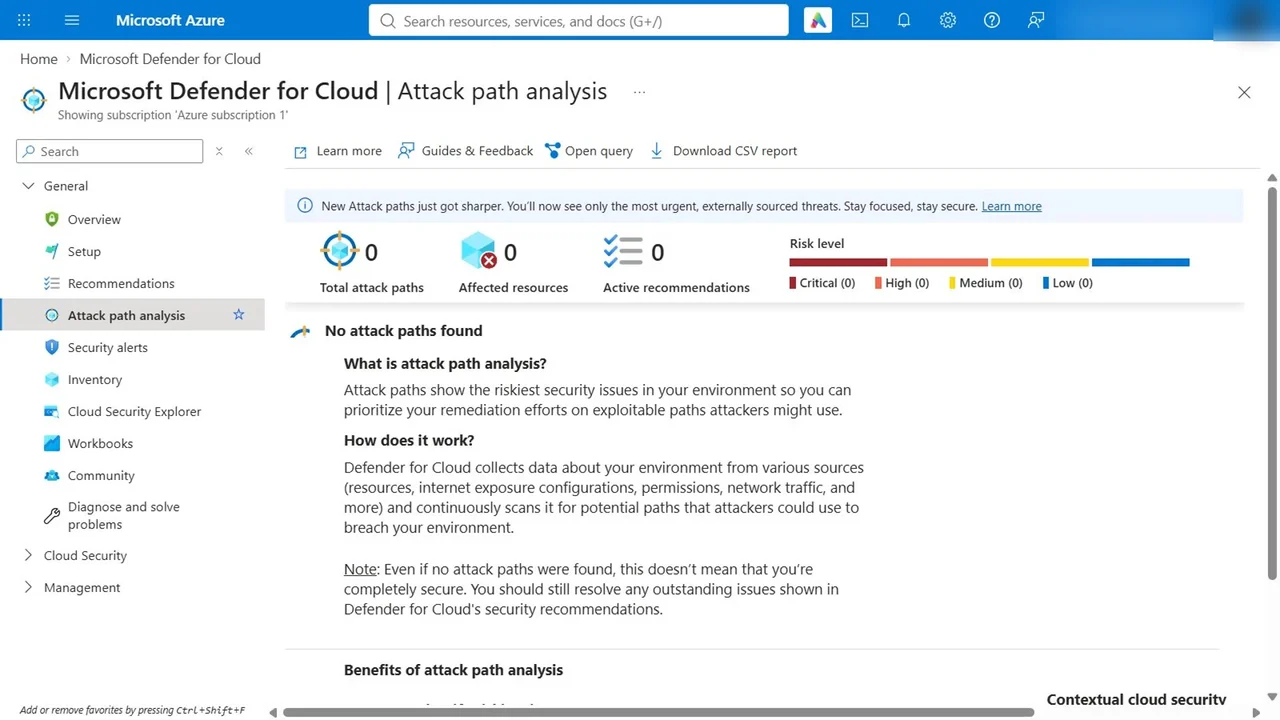
Open Attack path analysis. Ours says no attack paths found.
That is not an error. An attack path needs an entry point exposed to the internet, and by Part 9 there is none left: the VM has no public IP, the web apps sit behind authentication and access restrictions, and the database has no public endpoint. The hardening from Parts 4 to 7 removed the paths.
When a path does appear, it lists the entry point, the target and every step in between. Fix the step that breaks the chain cheapest, often removing a public IP or a permission, not the last resource in the chain.
Step 3: Ask your own question in the explorer
Open Cloud Security Explorer. Templates are a fast start; we used internet-exposed virtual machines with a known critical vulnerability.
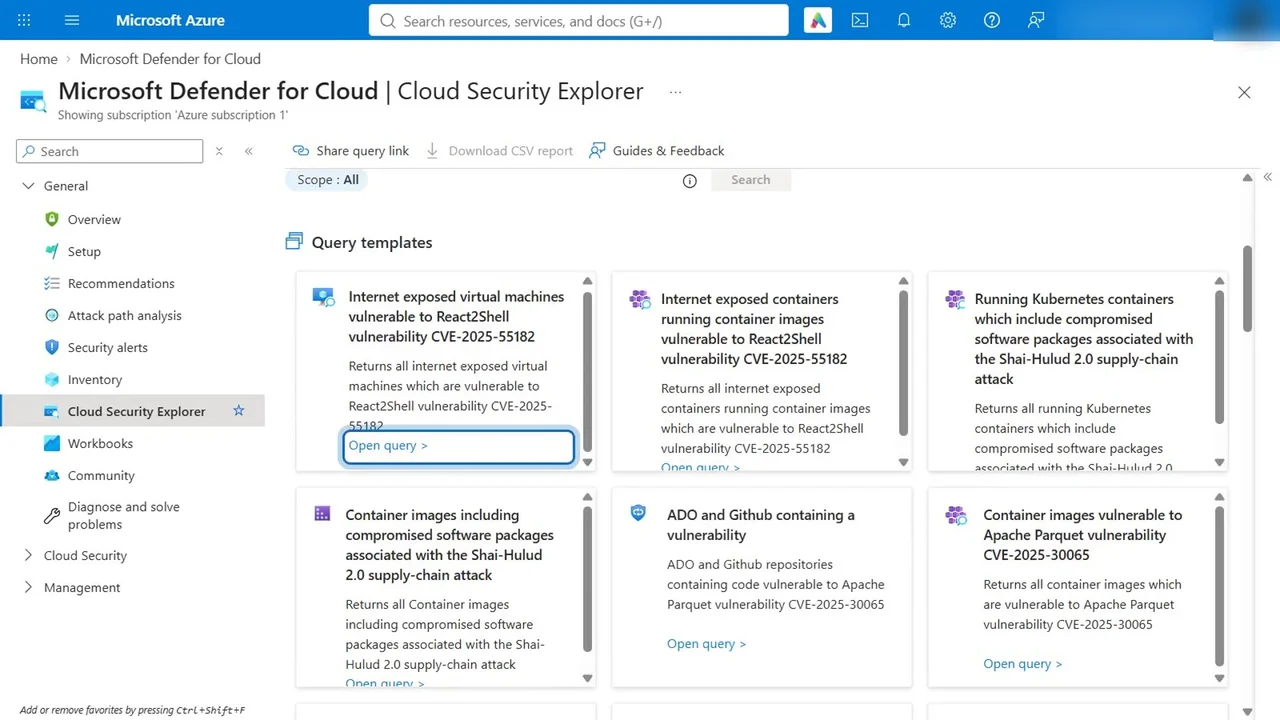
Open query builds it for you: virtual machines, that are exposed to the internet, that have vulnerabilities. Select Search.
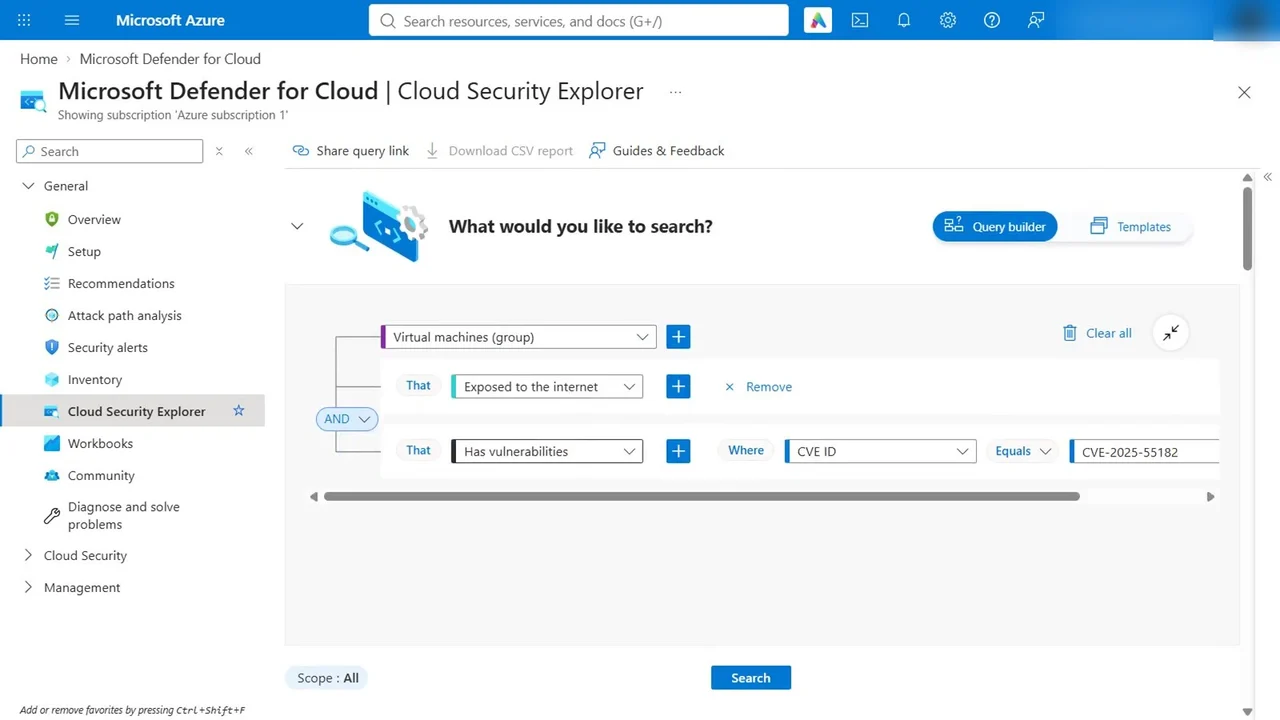
No results: the same proof as the empty attack path list, from another angle.
Step 4: Fix by risk, not by list length
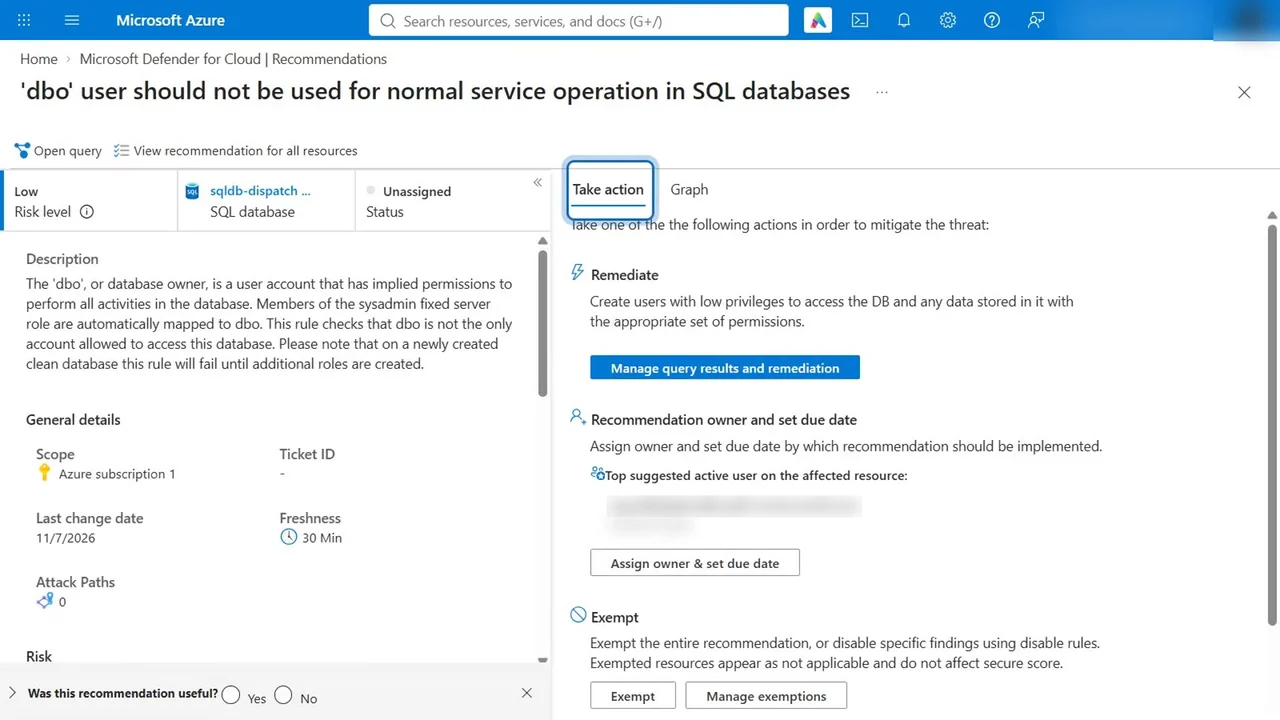
Open Recommendations. Each one now has a risk level, so you start with the riskiest instead of the longest list. Open one, and it shows the affected resources, why it matters, and the remediation steps, often with a Fix button or an Azure Policy to enforce it.
How you know it worked
Two independent views agree: attack path analysis finds no path, and the explorer finds no internet-exposed VM with a known vulnerability. And the secure score gives you one number to show progress, week after week.
What a tech lead should take away
- “Zero attack paths” is the headline for the board, not the number of open recommendations.
- Prioritise by risk level and attack path, then by everything else. That is how a small team keeps up.
- Pay for Defender CSPM where it earns its keep. In the course it runs on a 30-day trial; outside a lab, it is billed per resource, so decide which subscriptions really need attack paths.
Do it yourself
- The full SC-500 courseEvery Part, free on YouTube, in order
- Hands-on lab guideThe exact steps, what it costs, how to clean up
- Practice simulationRehearse every click in your browser; the first lab is free
- Mock examFree 10-question sample, then the full timed mock scored by domain
Lab guides, practice and full mock exams come with a subscription. See the plans