

AB-900 Step by step · Lab 12
What Can Copilot See? Permissions, Labels and DLP Tested
Copilot works as the user. See the three controls that decide what it can use, tested live on a confidential salary file in Microsoft 365.

This is the most important idea for anyone rolling out Microsoft 365 Copilot: Copilot does not have its own access to your data. It works as the user. If a person can open a file, Copilot can use it in their answers, whether or not it should.
We test this live on a real HR salary file at Pragati Industries, in Lab 12 of the AB-900 course.
Three controls decide what Copilot can use
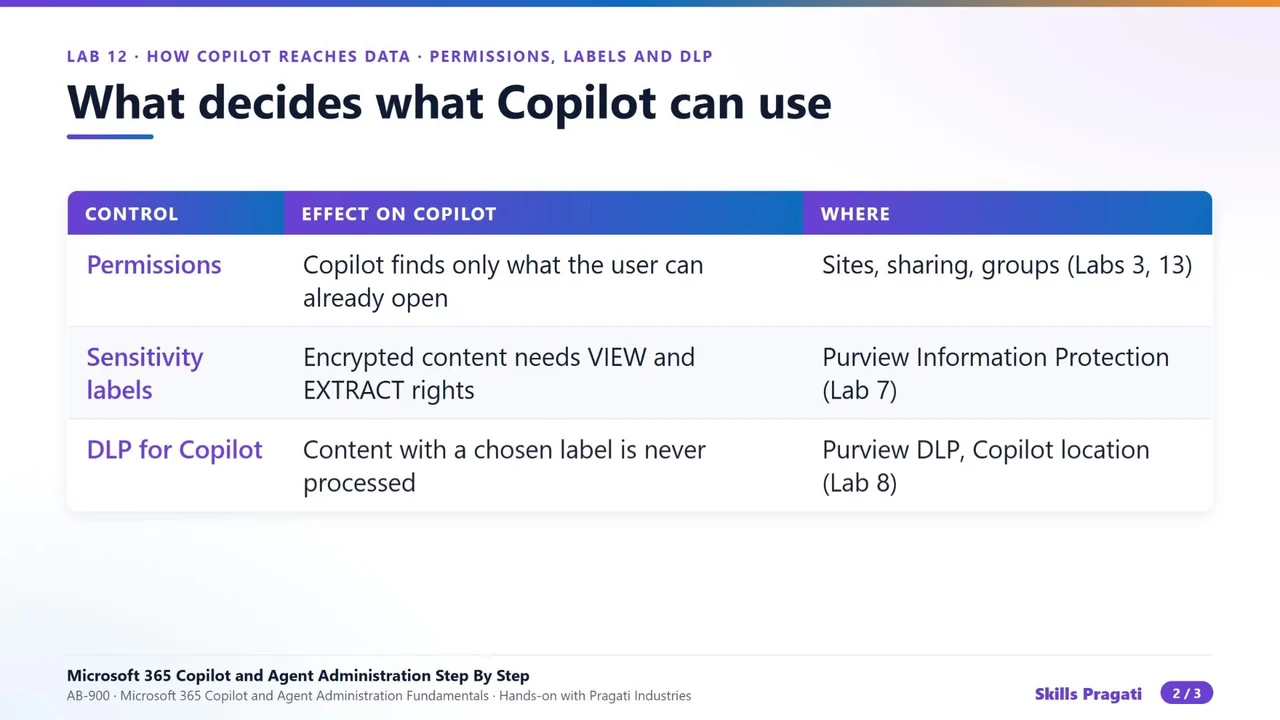
- Permissions. Microsoft Graph finds only content the user can already open.
- Sensitivity labels. With encryption, the user needs view and extract rights before Copilot can use the content.
- DLP for Copilot. Content with a chosen label is never processed, even for people who can open it.
And the answer inherits the highest sensitivity label among its sources.
Step 1: Before: Copilot uses the file
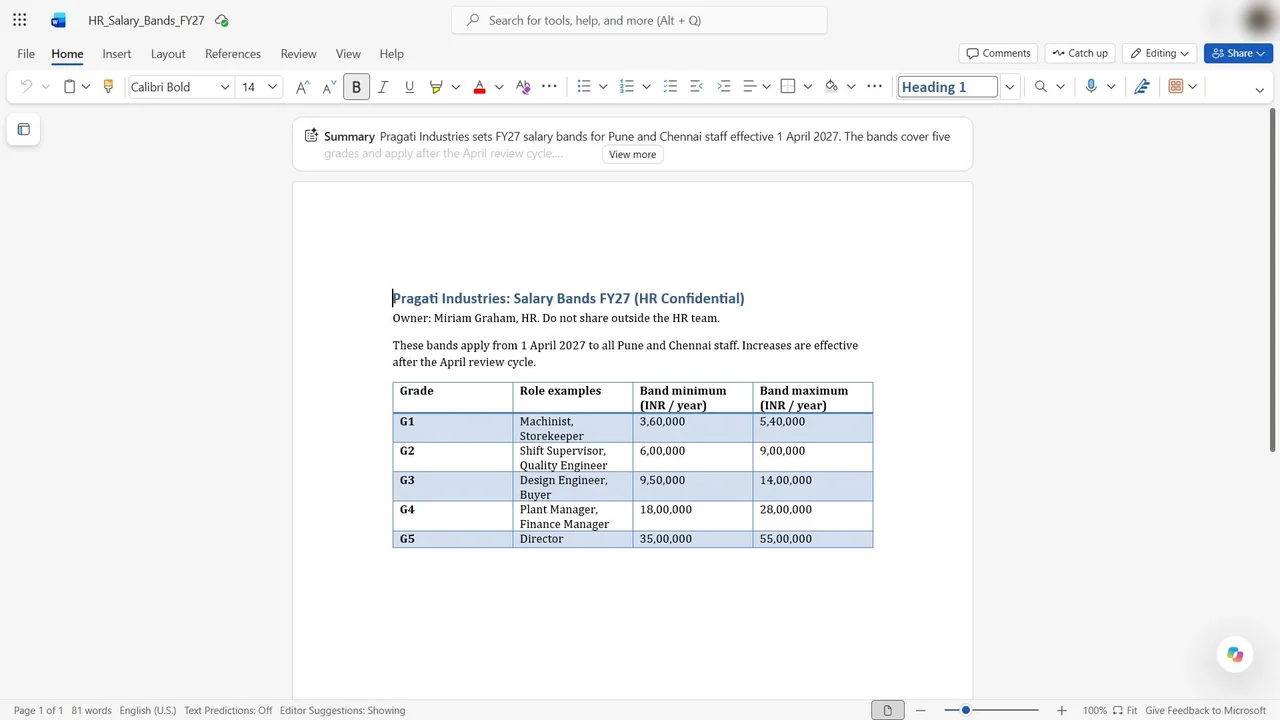
The file HR_Salary_Bands_FY27 sits on the HR Confidential site. The admin is a site admin there, so the admin can open it, and Copilot’s summary at the top of the document already reads it.
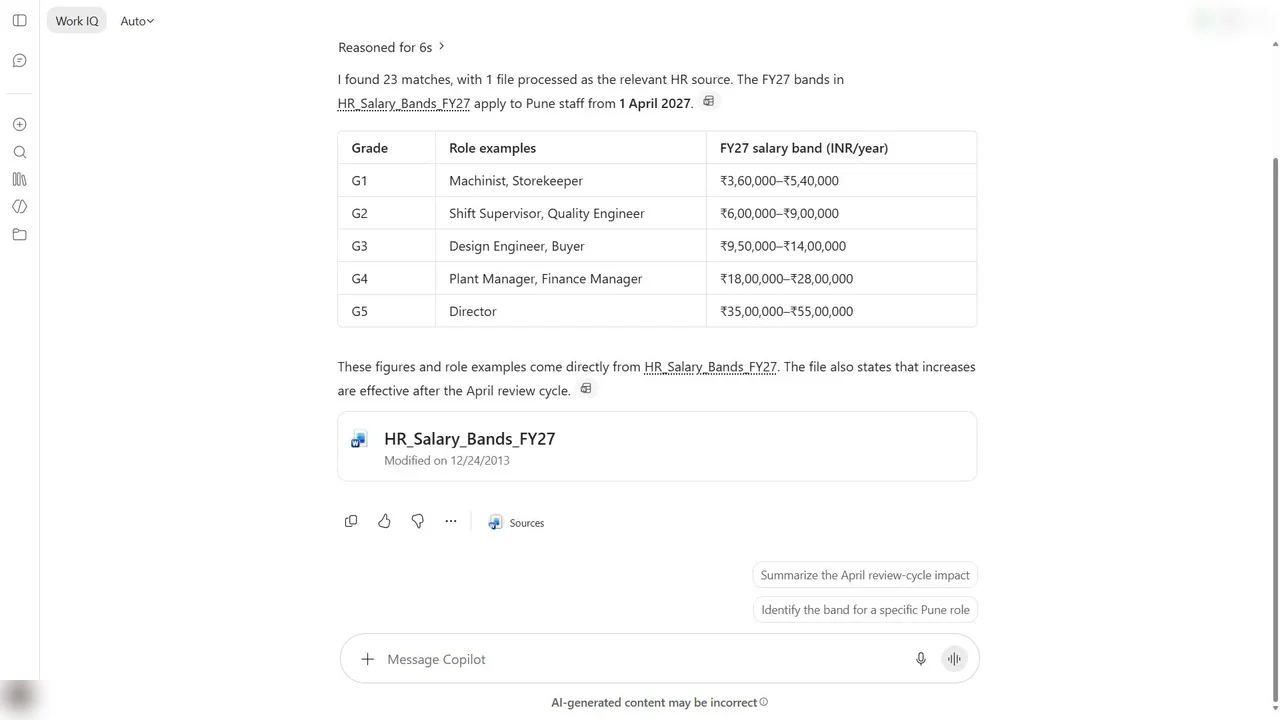
In Copilot Chat, ask about the salary bands for Pune staff. Copilot answers from the file, and cites it.
Step 2: The label, and a switch most tenants miss
To label the file in Word for the web, look for Sensitivity on the Home tab. It is not there. The reason is in Purview → Information protection → Sensitivity labels: a banner says the organisation has not turned on processing of encrypted labels in Office for the web, for files in SharePoint and OneDrive.
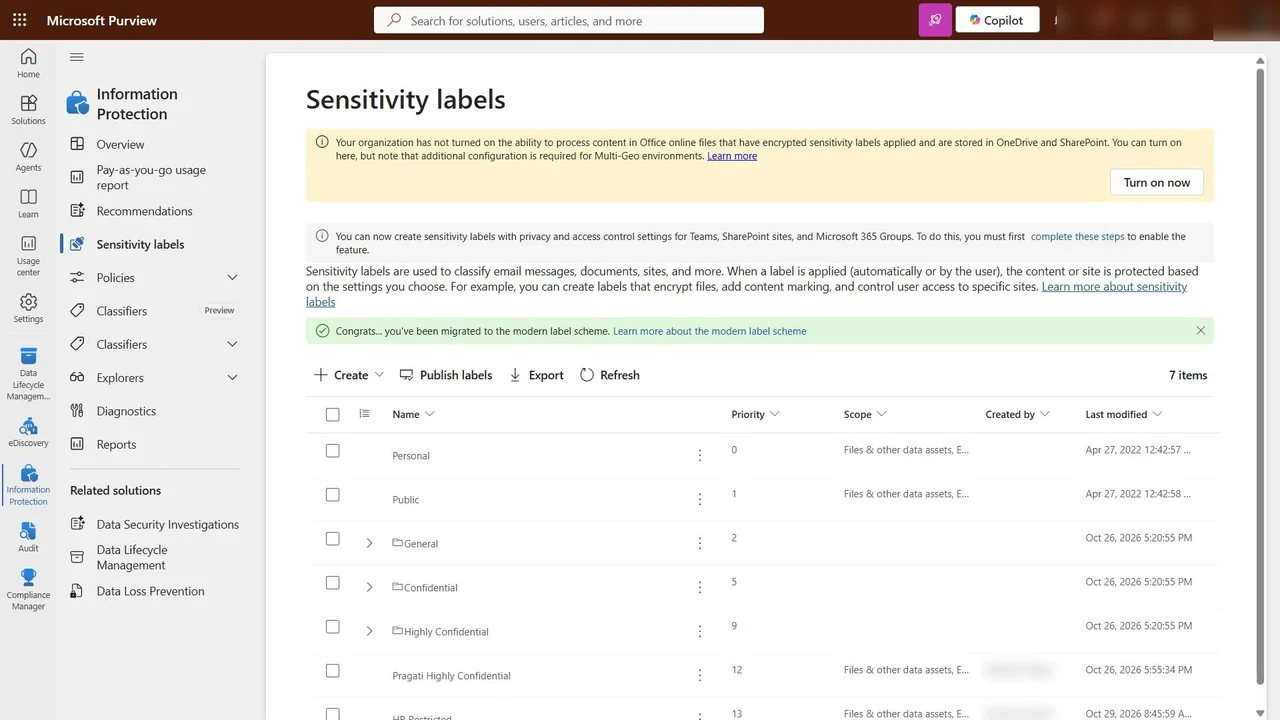
In the shared course tenant we leave it off. In your own tenant, turn it on: then the Sensitivity button appears and HR Restricted can be applied to the file.
Step 3: DLP keeps labelled content out of Copilot
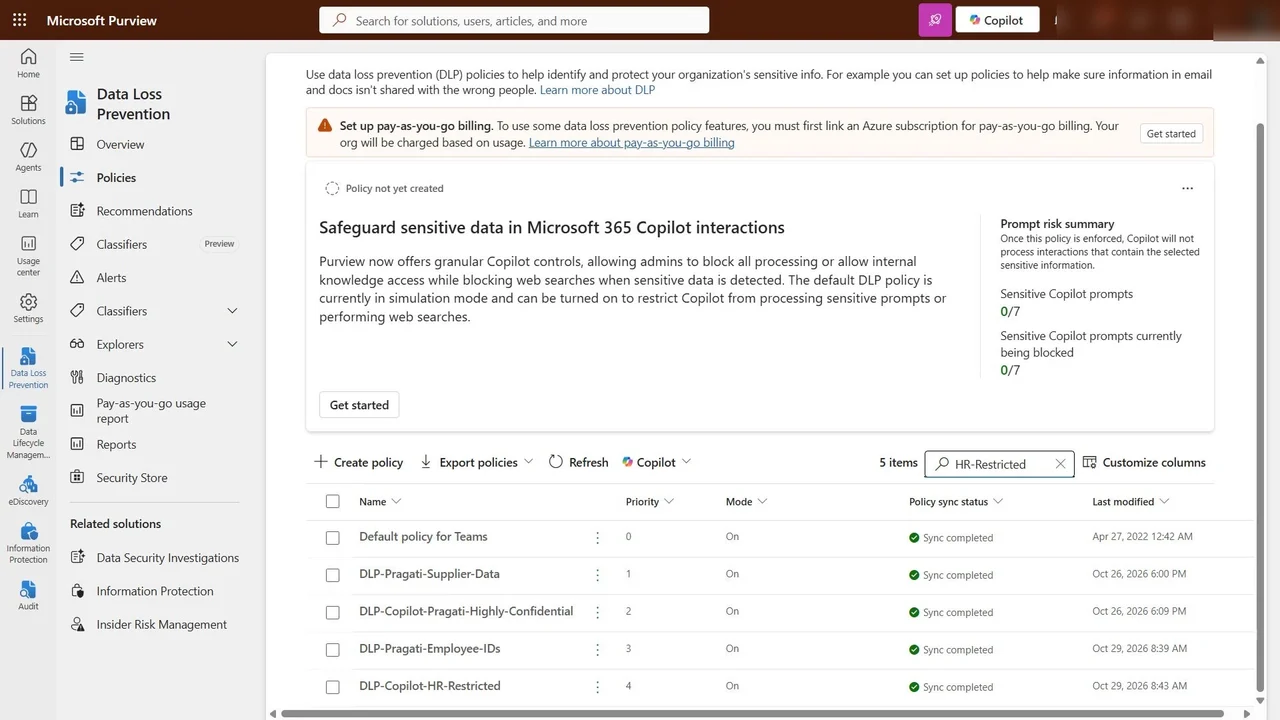
In Data loss prevention → Policies, the policy DLP Copilot HR Restricted from Lab 8 has its location set to Microsoft 365 Copilot, and its condition is the HR Restricted label.
How you know it worked
Once the file carries the label, Copilot leaves it out of every answer, even for the admin who can still open it in Word. Ask the same question again and the salary file no longer appears as a source.
What a tech lead should take away
- Permissions decide what Copilot can find. Fix oversharing first; Copilot only makes it visible faster.
- Labels mark what is sensitive, and encrypted labels in Office for the web need that tenant switch.
- DLP for Copilot keeps labelled content out of answers, even for people who may open the file.
- Do all three before the pilot, not after the first awkward answer.
Do it yourself
- The full AB-900 courseEvery Part, free on YouTube, in order
- Hands-on lab guideThe exact steps, what it costs, how to clean up
- Practice simulationRehearse every click in your browser; the first lab is free
- Mock examFree 10-question sample, then the full timed mock scored by domain
Lab guides, practice and full mock exams come with a subscription. See the plans