

Microsoft Entra Suite Masterclass Step by step · Step 15
Publish an Internal App With No VPN: Entra Private Access
Use Entra Private Access Quick Access to publish one private server and port to one pilot group, then prove a laptop reaches it with no route and no VPN.

A VPN opens the whole network. Remote staff usually need one app, not the network. Entra Private Access publishes exactly one destination, one port, for one group, through a connector. This is Step 15 of the Entra Suite Masterclass.
The plan
- The destination: one private address, the server.
- One port: 3389, Remote Desktop.
- For whom: the pilot group, through the client on their device.
- The proof: the laptop and the server sit on different networks. Only Private Access can join them.
Step 1: Check the connector
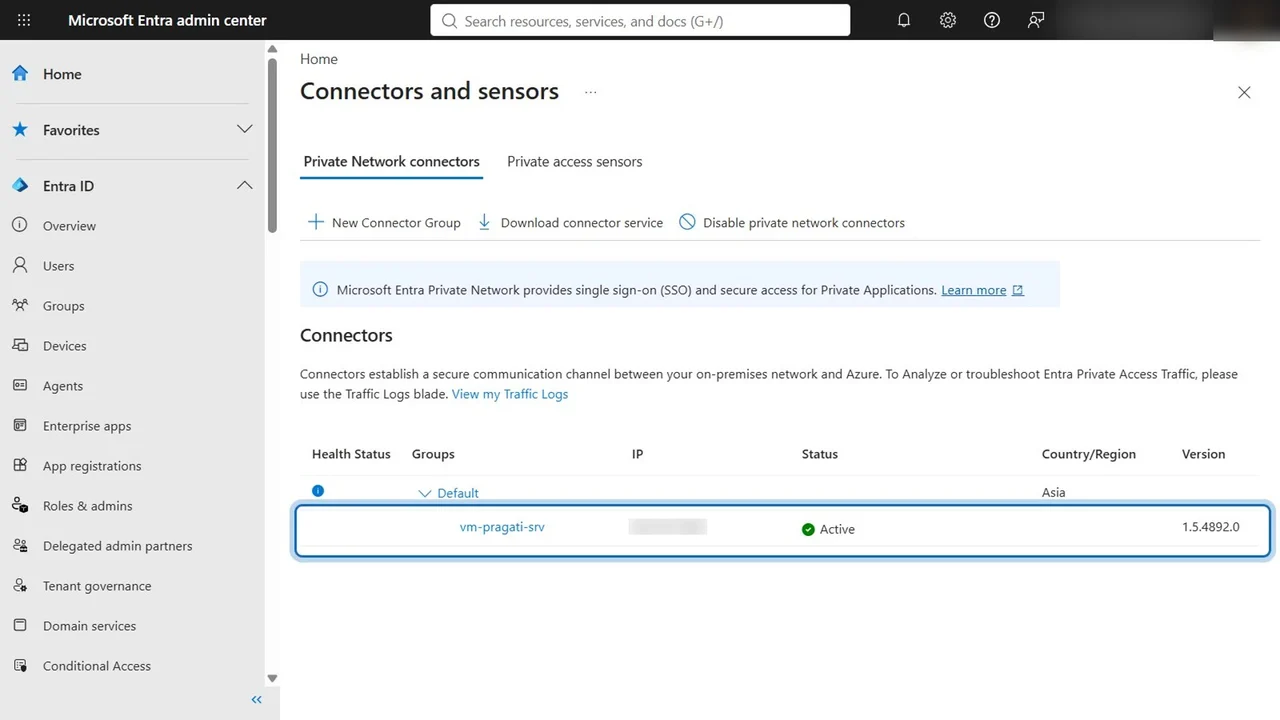
Global Secure Access → Connect → Connectors. The server’s connector shows Active: it is talking to the service.
Step 2: A Quick Access application segment
Applications → Quick Access: name Pragati server, remote desktop, connector group Default. Add a Quick Access application segment: destination type IP address, 172.16.0.4, port 3389, protocol TCP. Apply, and Save.
Step 3: Turn on the Private access profile
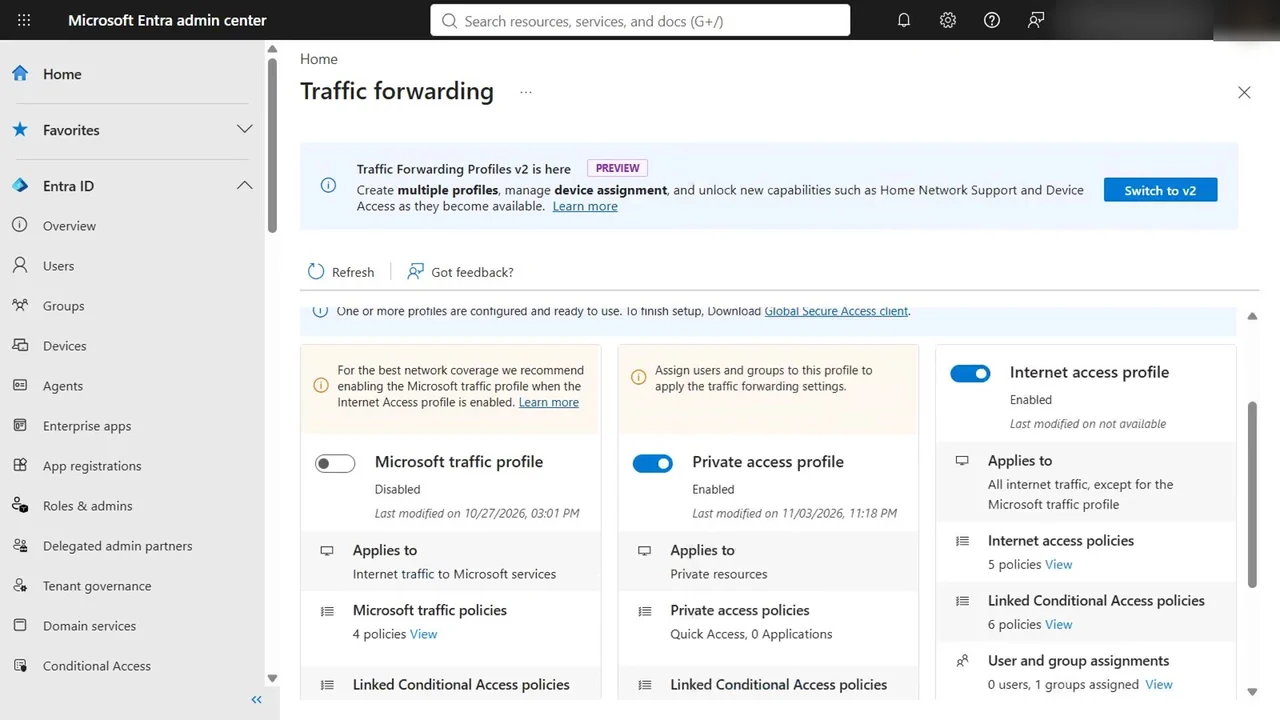
Traffic forwarding: switch the Private access profile on and assign it to the pilot group, LIC-EntraSuite-Pilot. Then assign the Quick Access app itself, so the pilot user may use it.
How you know it worked
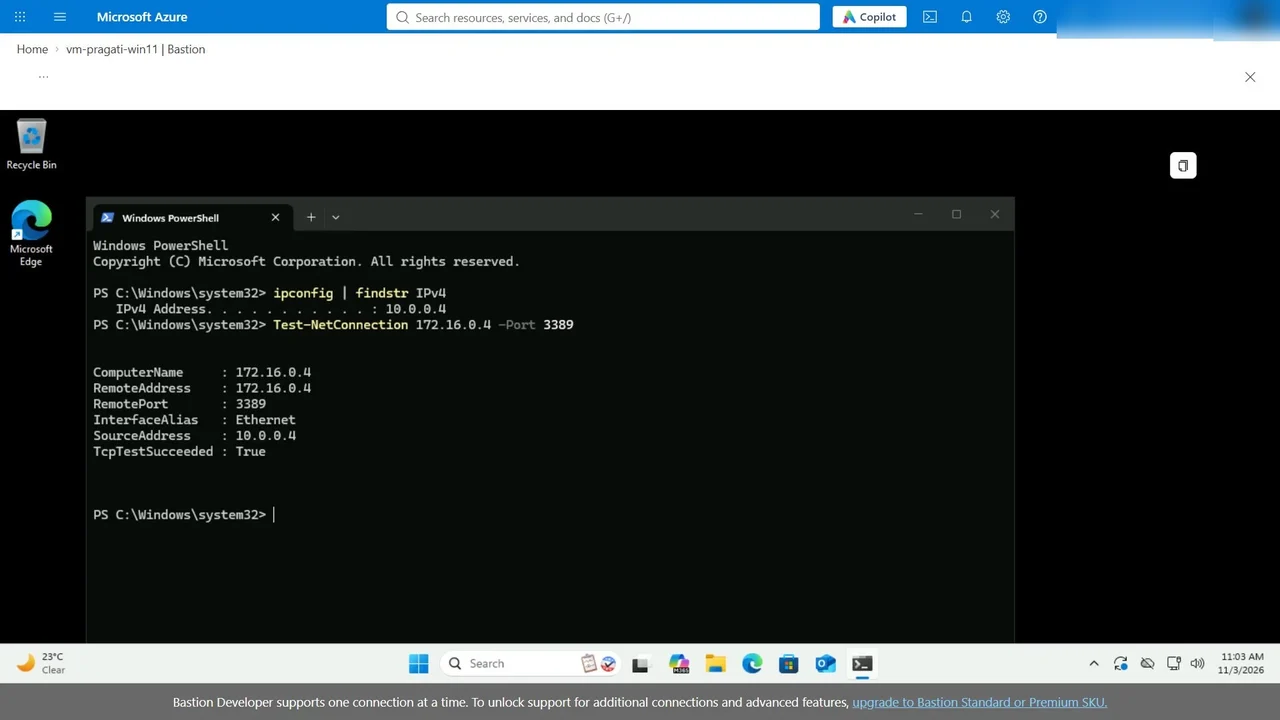
On Pradeep’s laptop, with the Global Secure Access client signed in: the laptop’s own address is 10.0.0.4; the server is 172.16.0.4, a different network with no peering and no VPN. Test-NetConnection 172.16.0.4 -Port 3389 returns TcpTestSucceeded: True.
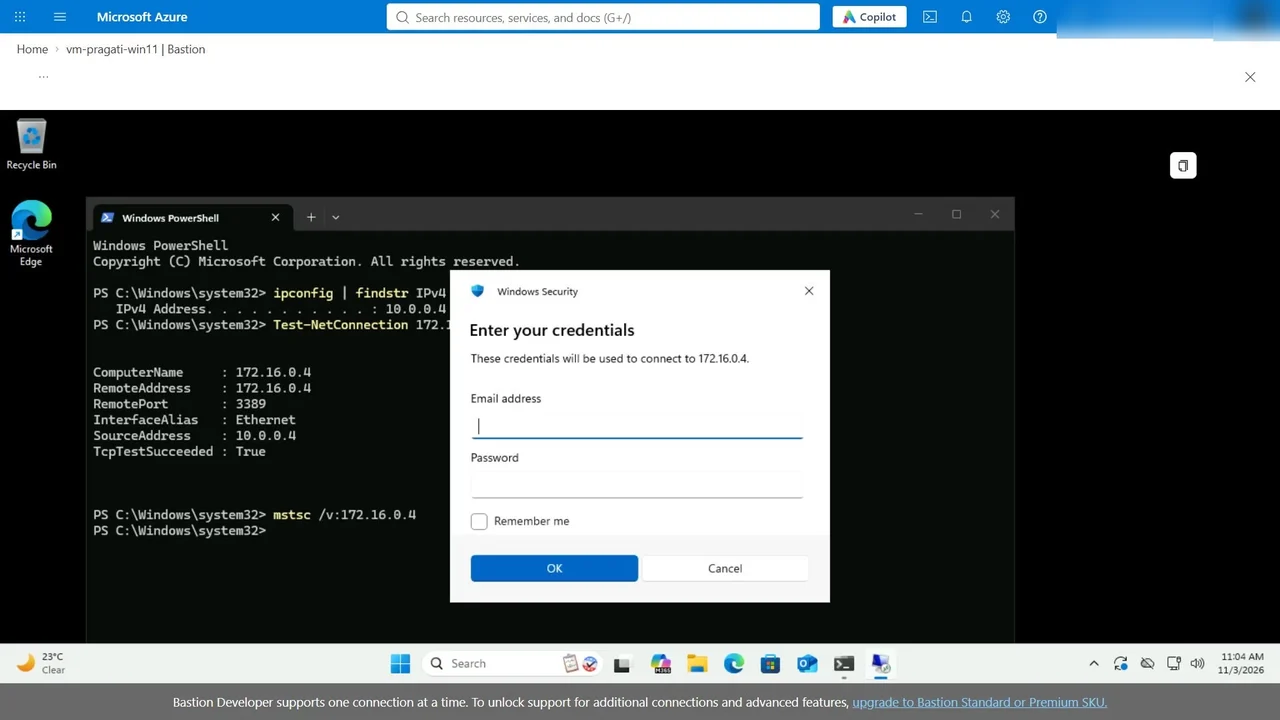
And the real thing: Remote Desktop to the same private address asks for the server’s credentials. The connection is there.
What a tech lead should take away
- Least privilege for networks: publish apps, not subnets.
- Start with a pilot group, then widen the assignment.
- The connector is the only path: it needs outbound access only, with no inbound ports on the server.
Do it yourself
- The full Microsoft Entra Suite Masterclass courseEvery Part, free on YouTube, in order
- Hands-on lab guideThe exact steps, what it costs, how to clean up
- Practice simulationRehearse every click in your browser; the first lab is free
- Mock examFree 10-question sample, then the full timed mock scored by domain
Lab guides, practice and full mock exams come with a subscription. See the plans