

AB-410 Course guide
AB-410 Exam Guide: 3 Domains, 1 Insurance App to Build
What the AB-410 Building Intelligent Applications exam covers, how its three domains are weighted, and a hands-on study plan around one insurance solution.

In 2026 every business app gets AI: prompts, AI models and agents, on the same data as the forms and flows. The AB-410 exam, Building Intelligent Applications, tests whether you can build that kind of solution on Microsoft Power Platform, end to end.
This guide explains what the exam covers and how to prepare hands-on.
The story behind the course
Pragati General Insurance handles motor claims, from the first notice of loss to paying the garage. Today it runs on e-mail and spreadsheets: claims sit in inboxes, estimates are retyped, and approvals get lost. Lab by lab, we build one solution: Dataverse, two apps, flows, AI and a customer portal.
The three exam domains
| Domain | Weight |
|---|---|
| Create a foundation for intelligent applications | 25–30% |
| Create intelligent applications | 25–30% |
| Build business application logic and automation | 40–45% (the largest) |
Logic and automation is the biggest domain: cloud flows, prompts and AI models, business rules, process flows and columns. Check the official exam page for the current skills outline before you book.
What you actually build
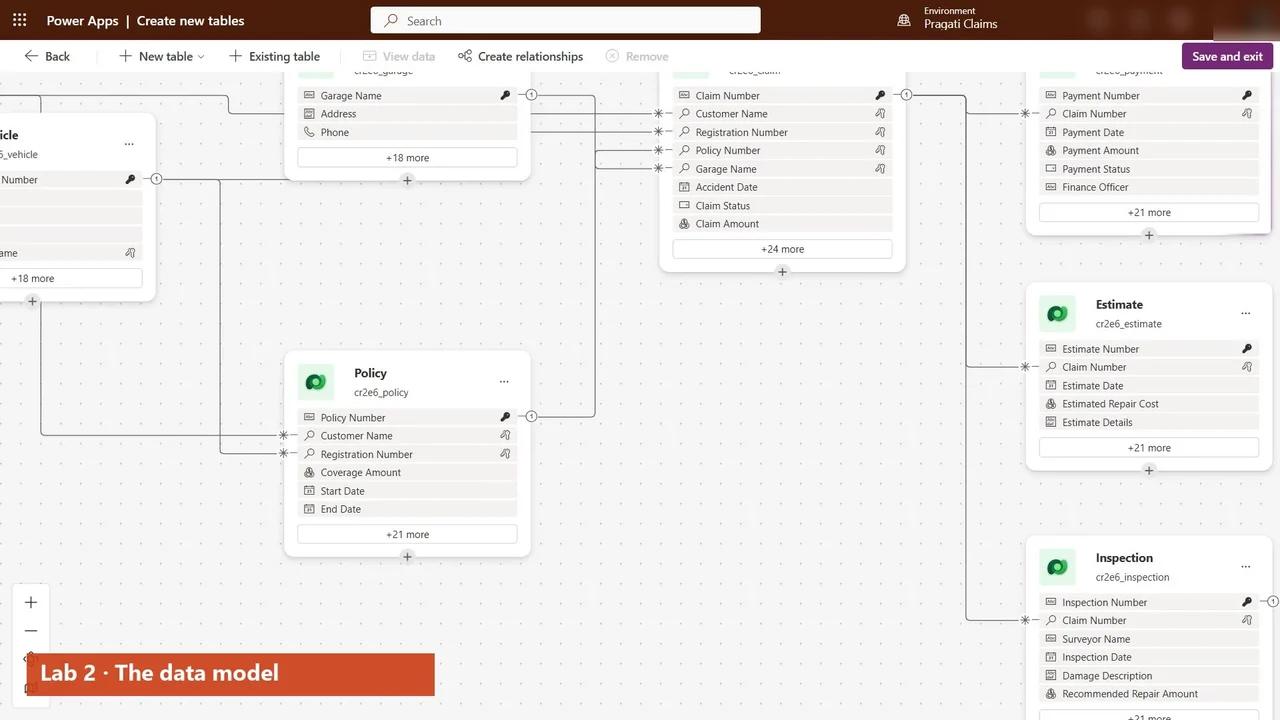
- The data model in Dataverse: claims, policies, vehicles and payments, plus a prompt column where AI writes a triage note for every claim (Labs 2–3).
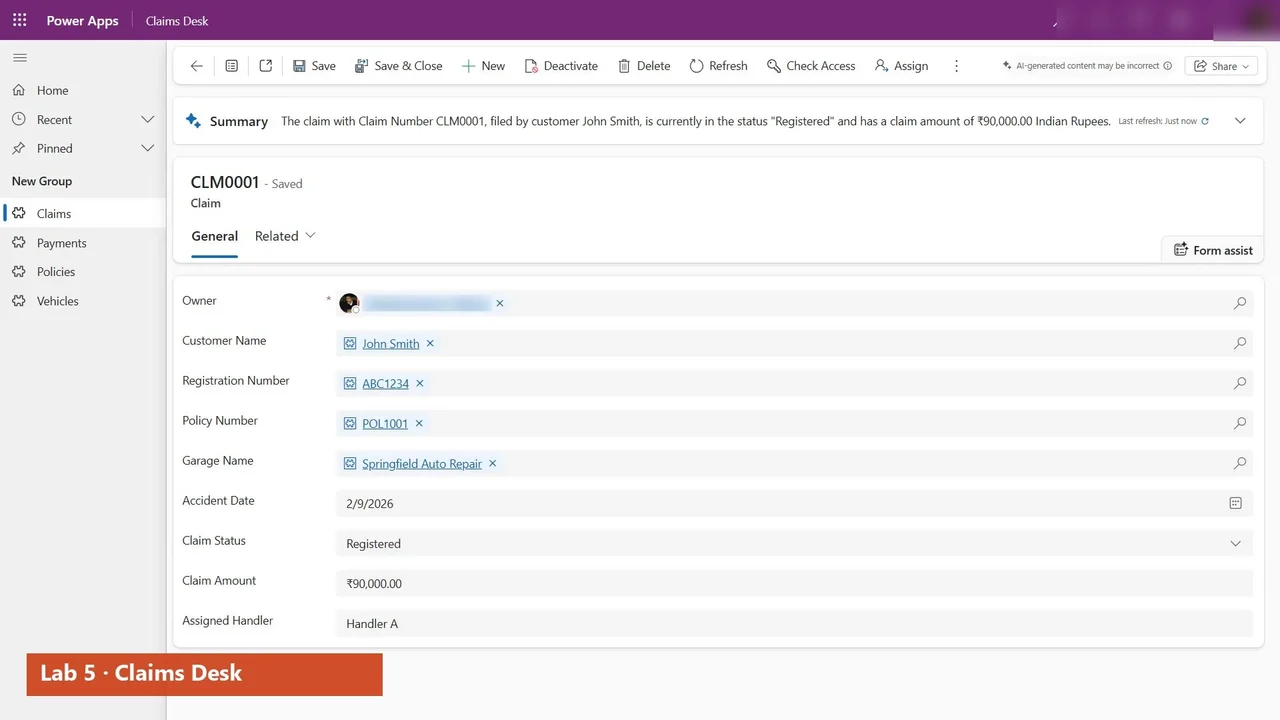
- Claims Desk, the model-driven app for claims handlers (Lab 5).
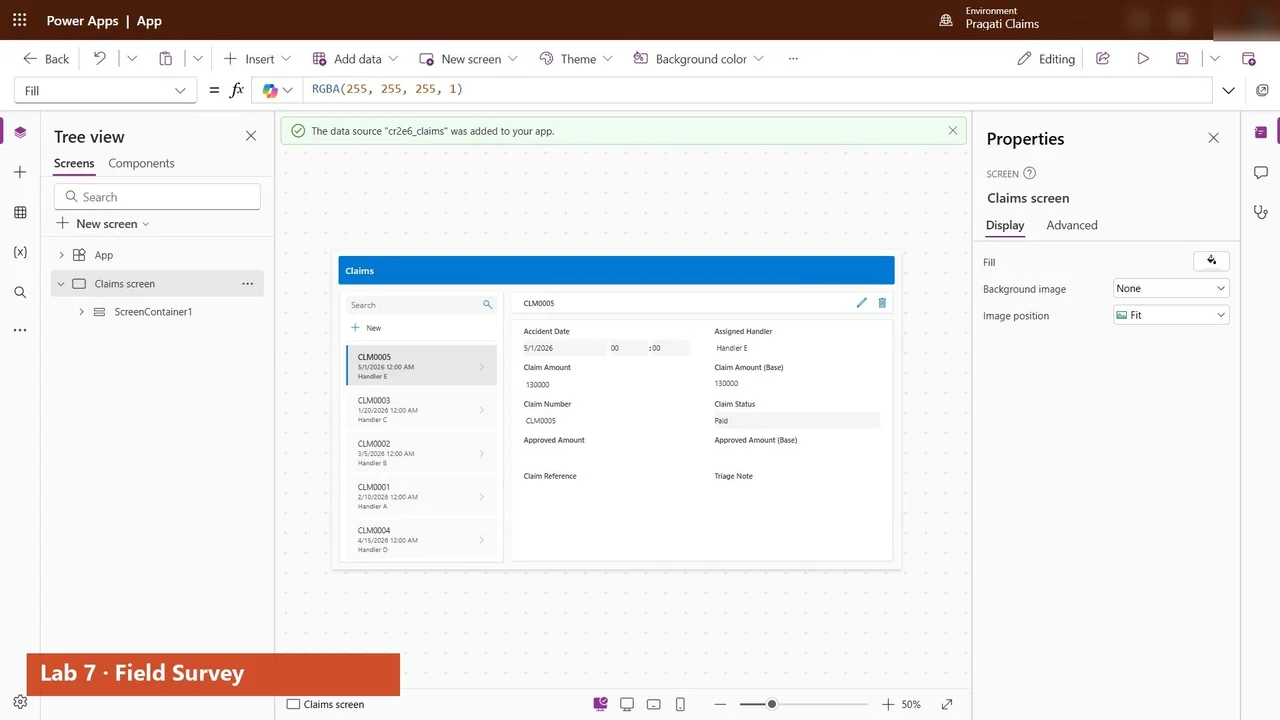
- Field Survey, a canvas app generated from the data, for surveyors, and a dark theme you switch with one word (Labs 7 and 7B).
- Flows: one started from the app, claims reported by e-mail, and approvals for high-value claims (Labs 9–12).
- AI: a Copilot Studio agent, prompts in flows that list fraud red flags, and AI models (Labs 10, 14–16).
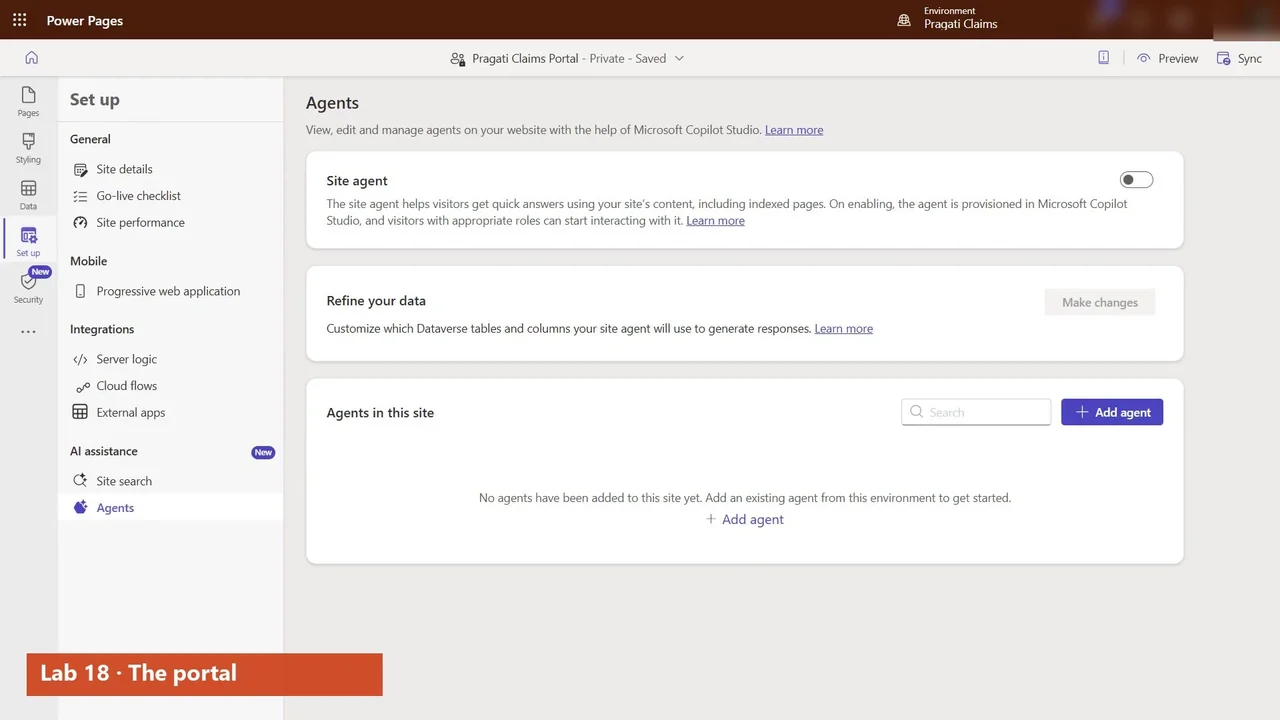
- Business rules and a process flow, then a customer portal on the same data and the solution shipped as managed (Labs 17–18).
A study plan that works
- Start with Labs 0 and 1: the environment, a plan with Copilot, and the solution that holds everything.
- Follow the labs in order. Every lab adds to the same solution.
- Watch the short explainers on which tool to use when: model-driven vs canvas vs generative pages, business rules vs Power Fx vs flows, prompts vs AI models vs agents.
- Answer the two exam Q&A videos, then take a timed mock exam.
The full course is free on YouTube
The overview above is the first of 29 videos. Watch them in order on the course page, then practise.
Do it yourself
- The full AB-410 courseEvery Part, free on YouTube, in order
- Hands-on lab guideThe exact steps, what it costs, how to clean up
- Practice simulationRehearse every click in your browser; the first lab is free
- Mock examFree 10-question sample, then the full timed mock scored by domain
Lab guides, practice and full mock exams come with a subscription. See the plans