

SC-300 Step by step · Part 6
Test Conditional Access With What If Before It Locks Users
Build a Conditional Access policy in report-only mode, then use What If to see exactly who it would affect before anyone is blocked.

A Conditional Access policy that is wrong does not fail quietly. It locks people out, sometimes everyone, sometimes the admins. So professionals never switch a new policy straight to On. They build it in report-only, test it with What If, read the sign-in log, and only then enforce it.
This is how we do it for the Dispatch team at Pragati Logistics in Part 6 of the SC-300 course.
Every policy has the same shape
- Assignments decide when it applies: users (include and exclude users, groups, roles and guests), target resources (apps, user actions or an authentication context), and conditions (location, platform, client app, risk and device filters).
- Access controls decide what happens: grant or block, and session controls such as sign-in frequency.
Step 1: Create the policy in report-only
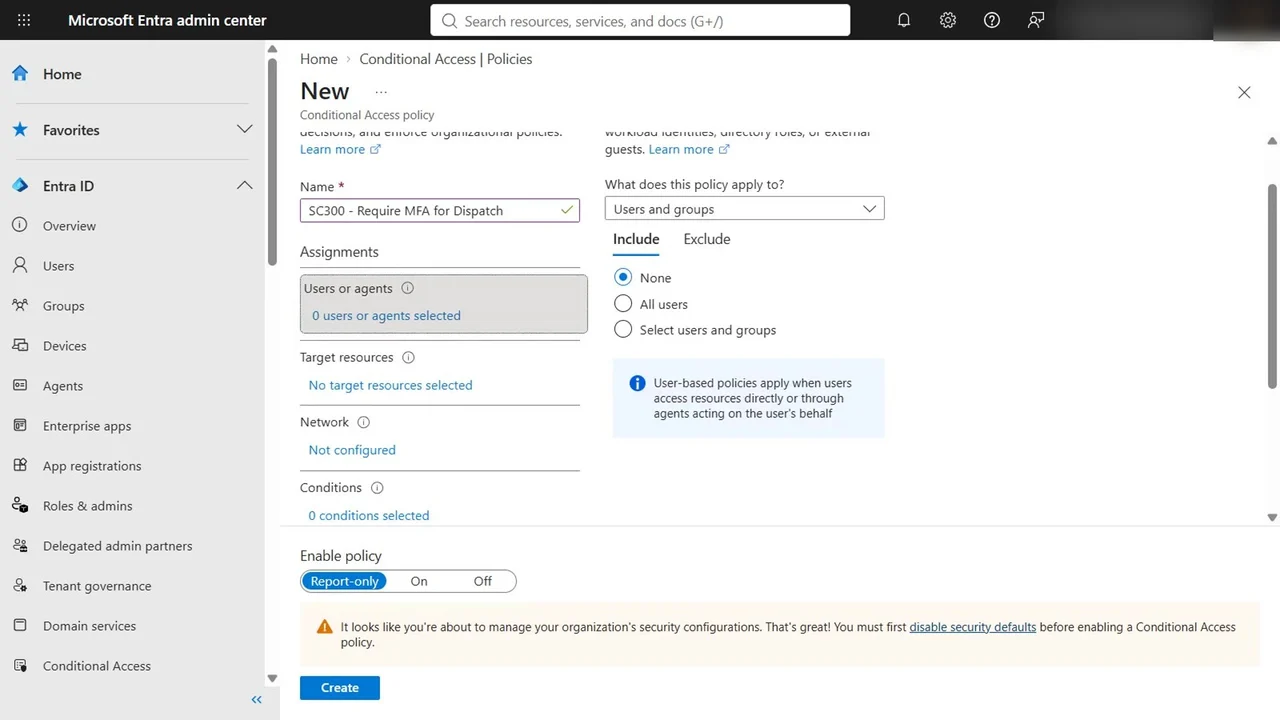
- Go to Protection → Conditional Access → Policies → New policy.
- Name it SC300 - Require MFA for Dispatch.
- Users or agents: select users and groups, then Pragati Dispatch Team, the dynamic group built in Part 2.
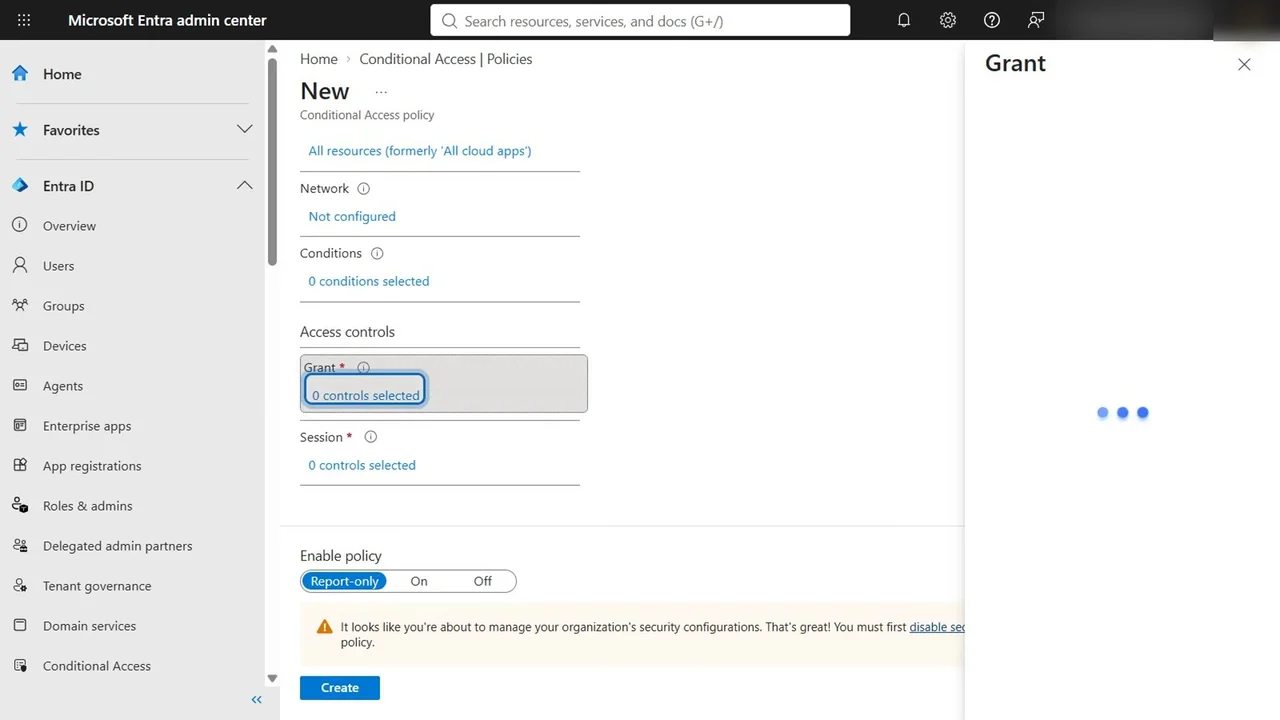
- Target resources: all resources, every app.
- Grant: grant access, require multifactor authentication.
- Enable policy: Report-only, then Create.
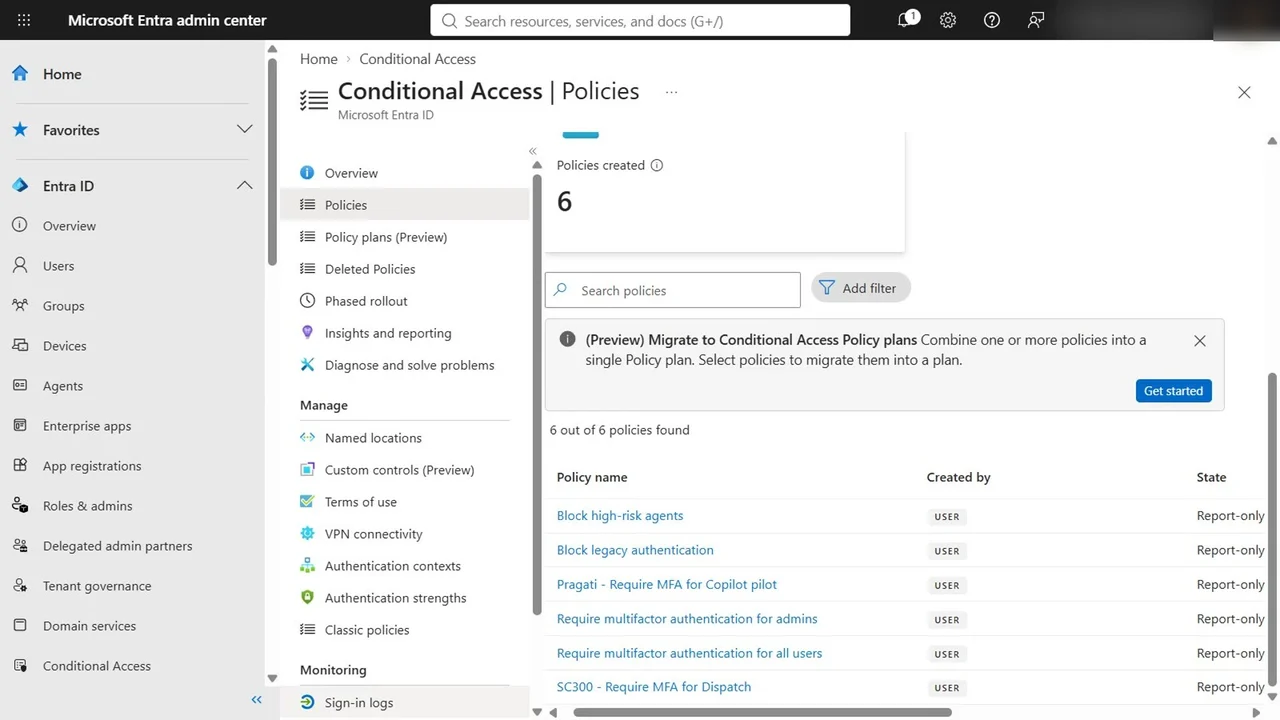
In our tenant, security defaults were still on, and the portal only allowed report-only. That is the situation behind a classic exam question: security defaults and Conditional Access cannot both be on. You turn defaults off and replace them with policies, starting in report-only.
Step 2: Ask What If
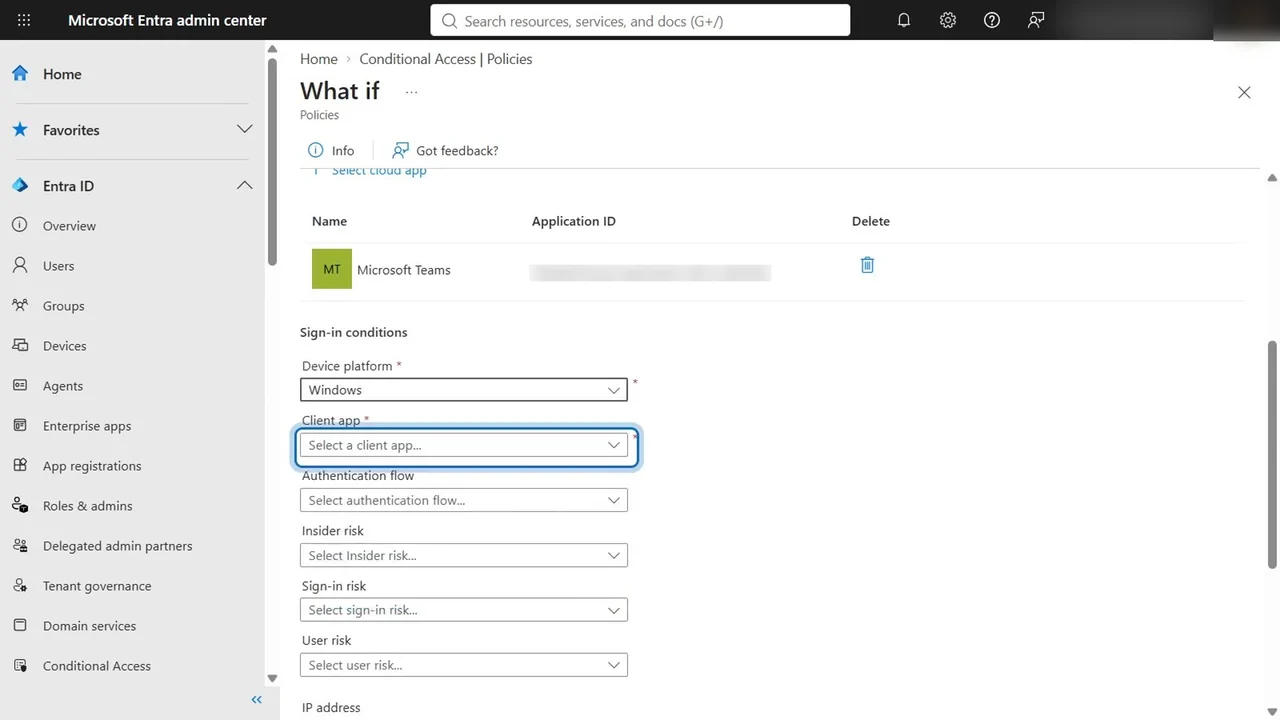
What If answers one question: for this user, this app and these conditions, which policies would apply, which would not, and why?
- Policies → What If.
- User: Arjun Mehta, in Dispatch.
- Cloud app: Microsoft Teams, where Dispatch works all day.
- Device platform: Windows; client app: browser. Select What If.
How you know it worked
Policies that will apply lists SC300 - Require MFA for Dispatch, report-only, with its grant control, require multifactor authentication. Policies that will not apply explains every other policy, with the reason.
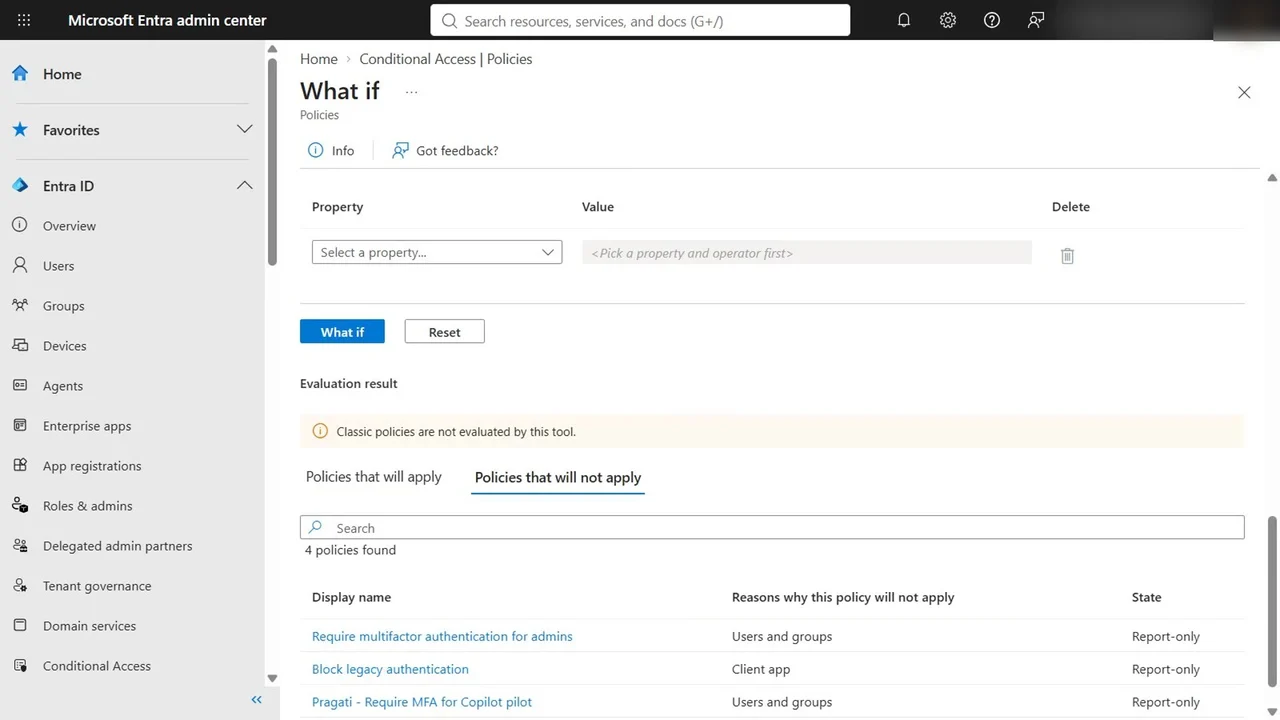
Then check the sign-in log after a real sign-in: it shows the result of every policy, including the report-only ones. When the log matches what you expect for a few days, switch the policy to On.
What If or report-only?
They answer different questions, and the exam tests the difference:
- What If tests one imagined sign-in, instantly.
- Report-only evaluates the policy at every real sign-in and logs the result, without enforcing it.
Use both: What If while you design, report-only before you enforce.
What a tech lead should take away
- No policy goes straight to On. Report-only plus What If is the change process.
- Exclude two emergency access accounts from every policy, so a broken policy or an MFA outage cannot lock every admin out, and alert on their use.
- Target groups, not people. A dynamic group like the Dispatch team keeps the policy right as people join and leave.
Do it yourself
- The full SC-300 courseEvery Part, free on YouTube, in order
- Hands-on lab guideThe exact steps, what it costs, how to clean up
- Practice simulationRehearse every click in your browser; the first lab is free
- Mock examFree 10-question sample, then the full timed mock scored by domain
Lab guides, practice and full mock exams come with a subscription. See the plans