

SC-300 Course guide
SC-300 Exam Guide: 4 Domains, 17 Hands-On Parts
What the SC-300 Identity and Access Administrator exam covers, how its 4 domains are weighted, and a hands-on plan with a free video per Part.

The identity administrator’s job fits in one sentence: the right people, with the right access, at the right time, and proof of it for the auditor. The SC-300 exam tests exactly that, in Microsoft Entra.
This guide explains what the exam measures, how the domains are weighted, and how to prepare hands-on, with a free video for every Part.
The problem the course solves
Every lab in the course happens at one company, Pragati Logistics: a Pune hub, a warehouse still on an old Active Directory, dispatchers, drivers and partner carriers. Its identities are everywhere and unmanaged: shared passwords, standing admin rights, guests nobody ever reviews.
Part by Part, we build Pragati’s identity in Entra, then secure it, govern it and monitor it. You own the identities, how they sign in, the access rules, which apps are trusted, the governance and the logs, and you work with HR, security, app owners, networking and the auditors.
The four exam domains
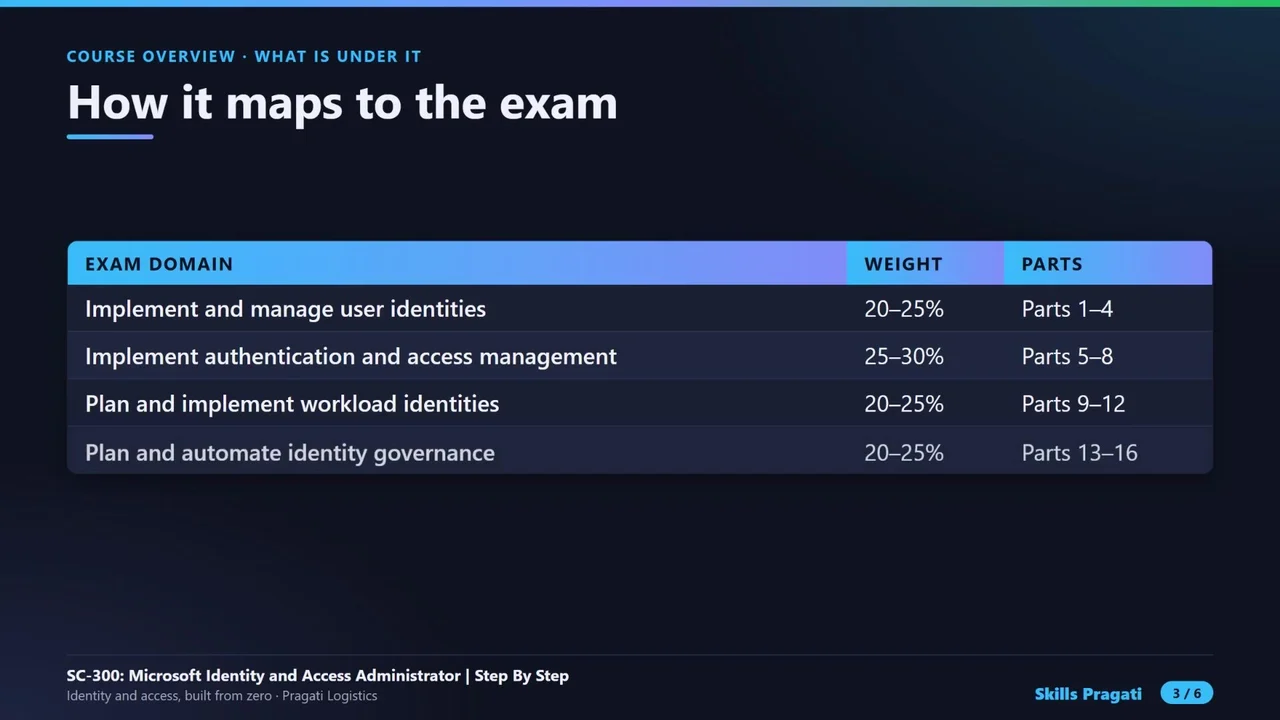
| Domain | Weight | Course Parts |
|---|---|---|
| 1 · Implement and manage user identities | 20–25% | Parts 1–4 |
| 2 · Implement authentication and access management | 25–30% (the largest) | Parts 5–8 |
| 3 · Plan and implement workload identities | 20–25% | Parts 9–12 |
| 4 · Plan and automate identity governance | 20–25% | Parts 13–16 |
You need 700 out of 1000, in about a hundred minutes of scenarios, case studies and drag-and-drop. Always check the official exam page for the current skills outline before you book.
What you actually build
Real screens from the labs, not slides:
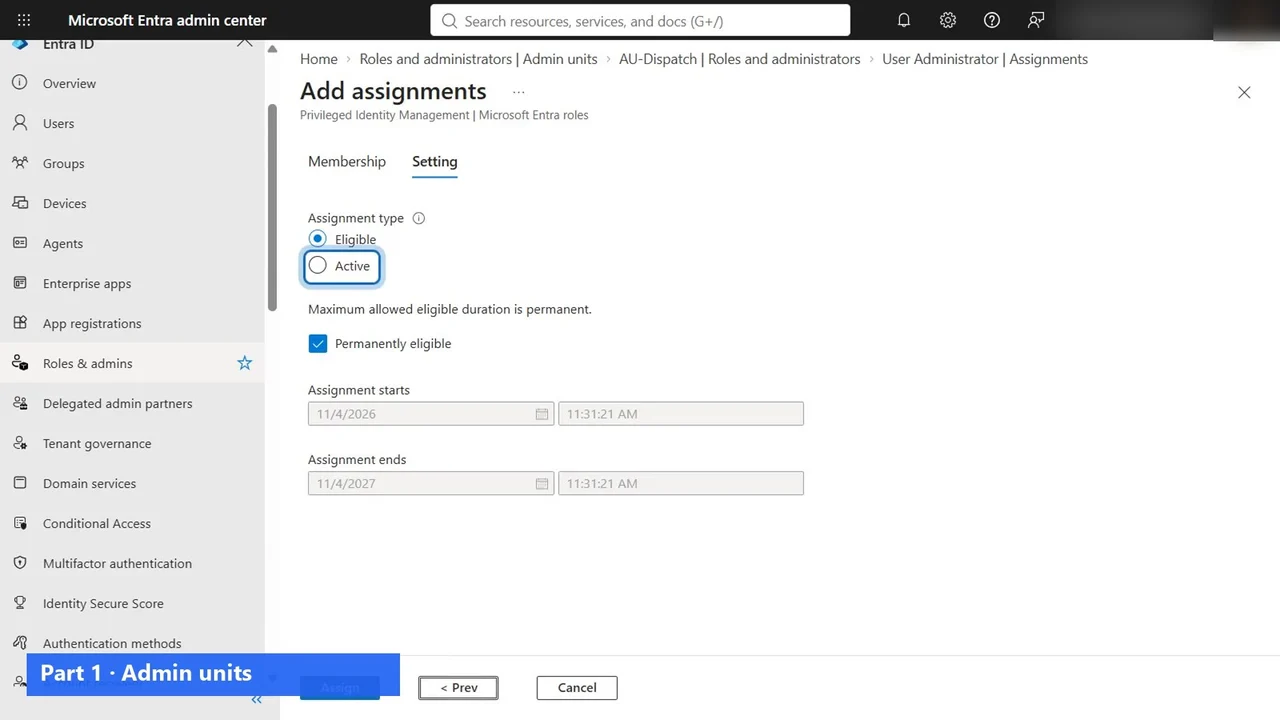
- A scoped admin: Kavya manages only the Dispatch team, through an administrative unit (Part 1).
- Hybrid identity: the warehouse synced from Active Directory with Cloud Sync (Part 4).
- Day-one sign-in with Authenticator and a Temporary Access Pass (Part 5).
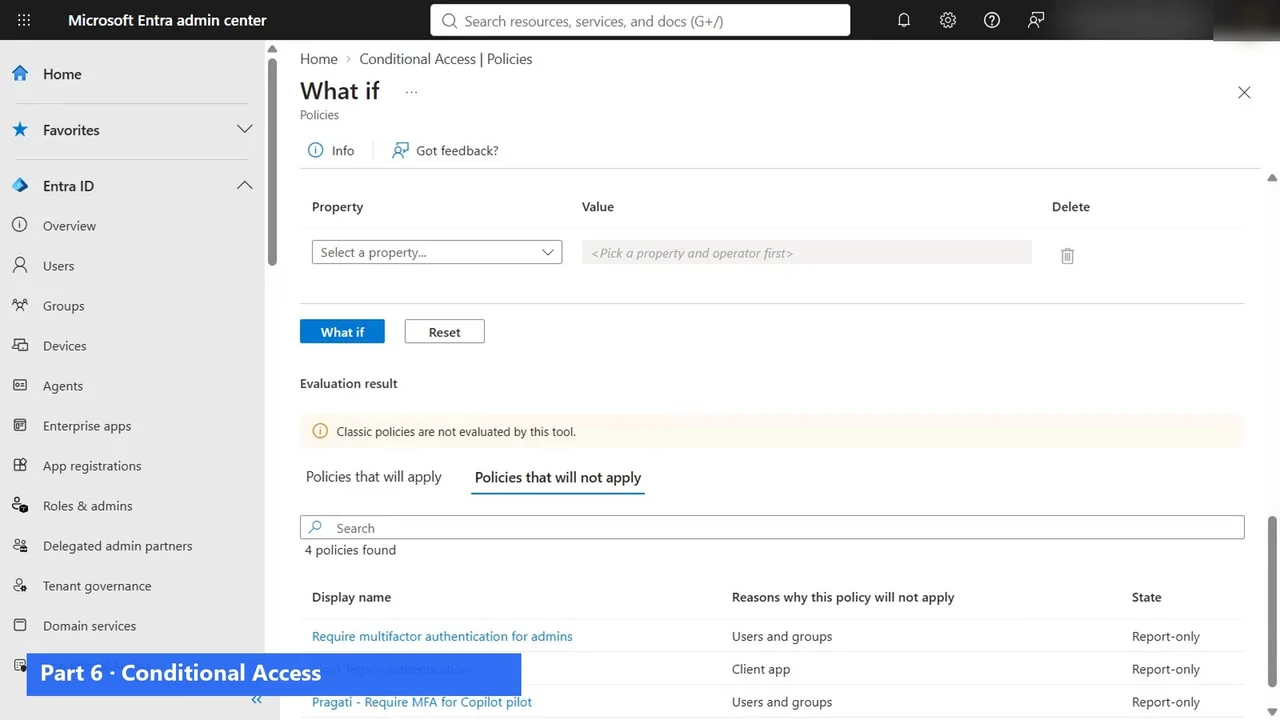
- Conditional Access, tested with What If before anyone is blocked (Part 6), and a risky sign-in investigated with ID Protection (Part 7).
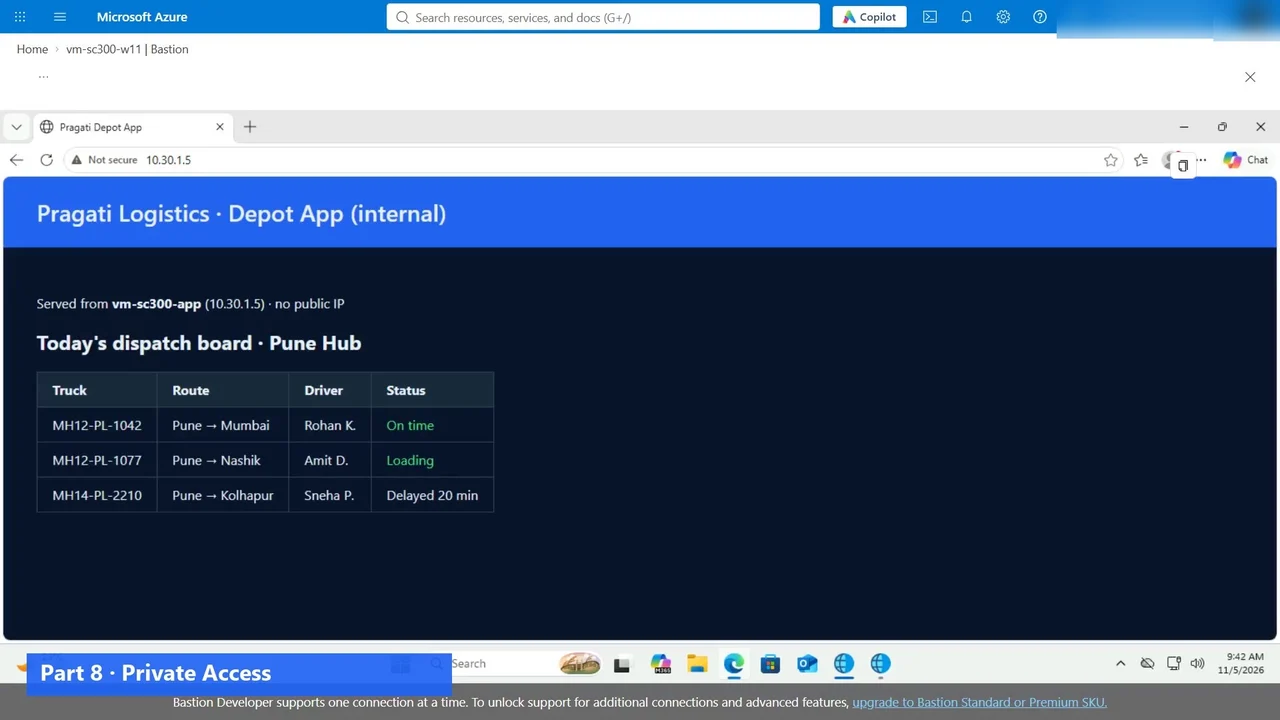
- Global Secure Access: an internal app reached from anywhere, with no VPN (Part 8).
- Apps: SSO, App Proxy and app registrations (Parts 10–11), and Defender for Cloud Apps (Part 12).
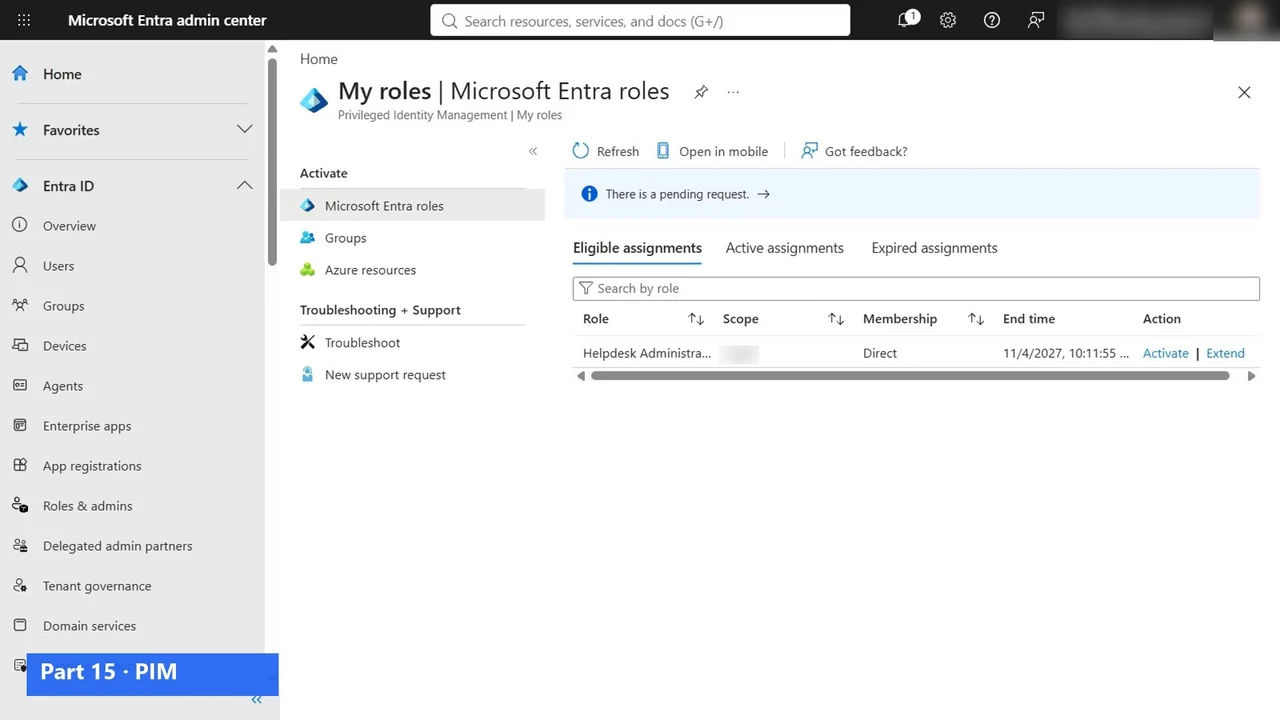
- Governance: access packages with approval, access reviews, and PIM for admin rights that end by themselves (Parts 13–15).
- A bonus Part 17 on identities for AI agents with Entra Agent ID.
A study plan that works
- Start with Part 0: five short videos on the role, Entra in one picture, which option to use when, how identity grows, and licences.
- Follow the Parts in order. Users and groups from Part 2 come back in Conditional Access, access packages and PIM.
- Do every lab yourself. A trial tenant is enough for most of them, or rehearse in the practice simulation first.
- After each domain, take the exam questions for it. Use them to find your weak Part, and watch that Part again.
- Finish with a timed mock exam.
What it costs to practise
A Microsoft 365 E5 trial (which includes Entra ID P2) and an Azure free account cover the course. A few labs use small Azure VMs with no public IP that are switched off every evening and deleted at the end, and the final video cleans up everything we built.
The full course is free on YouTube
The overview above is the first of 24 videos: Part 0, Parts 1 to 16, four exam Q&A sets, the bonus on Agent ID and the clean-up. Watch them in order on the course page, then practise.
Do it yourself
- The full SC-300 courseEvery Part, free on YouTube, in order
- Hands-on lab guideThe exact steps, what it costs, how to clean up
- Practice simulationRehearse every click in your browser; the first lab is free
- Mock examFree 10-question sample, then the full timed mock scored by domain
Lab guides, practice and full mock exams come with a subscription. See the plans