

Power Platform Administration Step By Step Which one when · Explained
DLP vs Advanced Connector Policies: Why You Need Both
Classic Power Platform data policies vs the 2026 advanced connector policies: how they differ, what each can block, and why most tenants need both.

For years, Power Platform data policies meant three boxes: business, non-business and blocked. In 2026, advanced connector policies arrived, with allow-lists, single actions and MCP servers. Do you replace the old policies? No. Most tenants need both.
Side by side
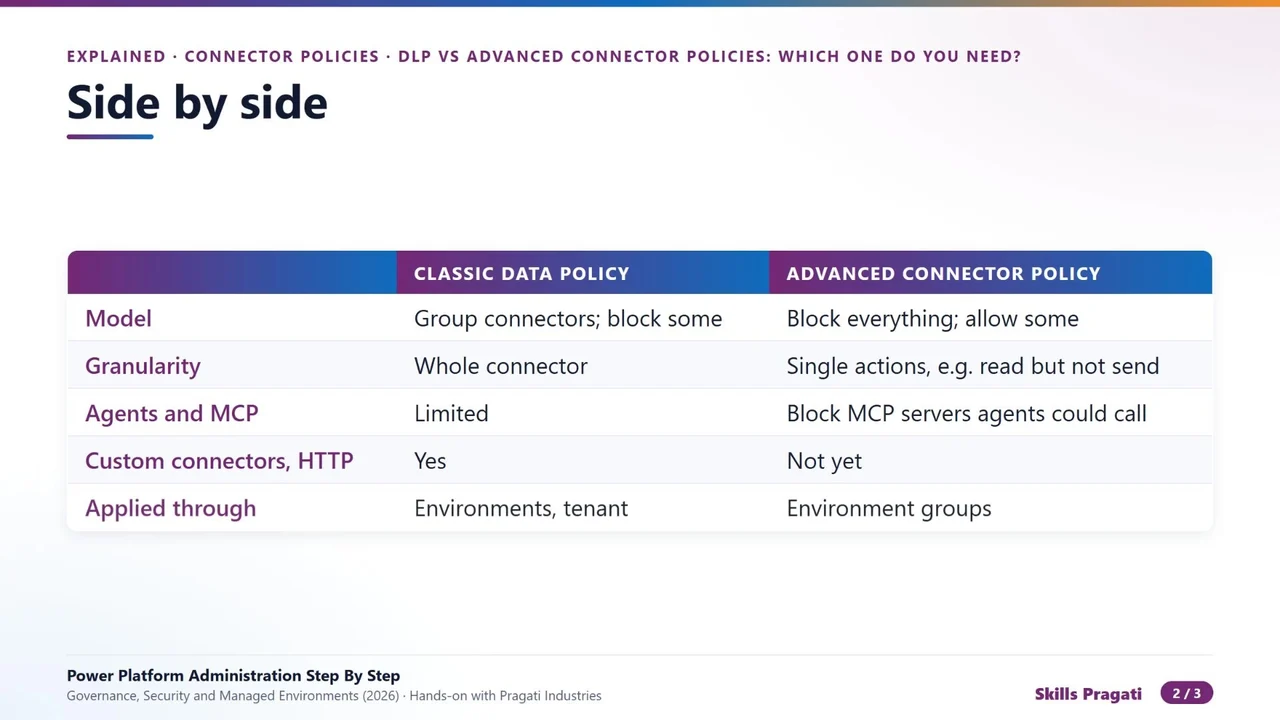
| Classic data policy | Advanced connector policy | |
|---|---|---|
| Model | group connectors; block some | block everything; allow some |
| Granularity | whole connector | single actions, e.g. read but not send |
| Agents and MCP | limited | can block MCP servers agents would call |
| Custom connectors, HTTP | yes | not yet |
| Applied through | environments, tenant | environment groups |
How to combine them
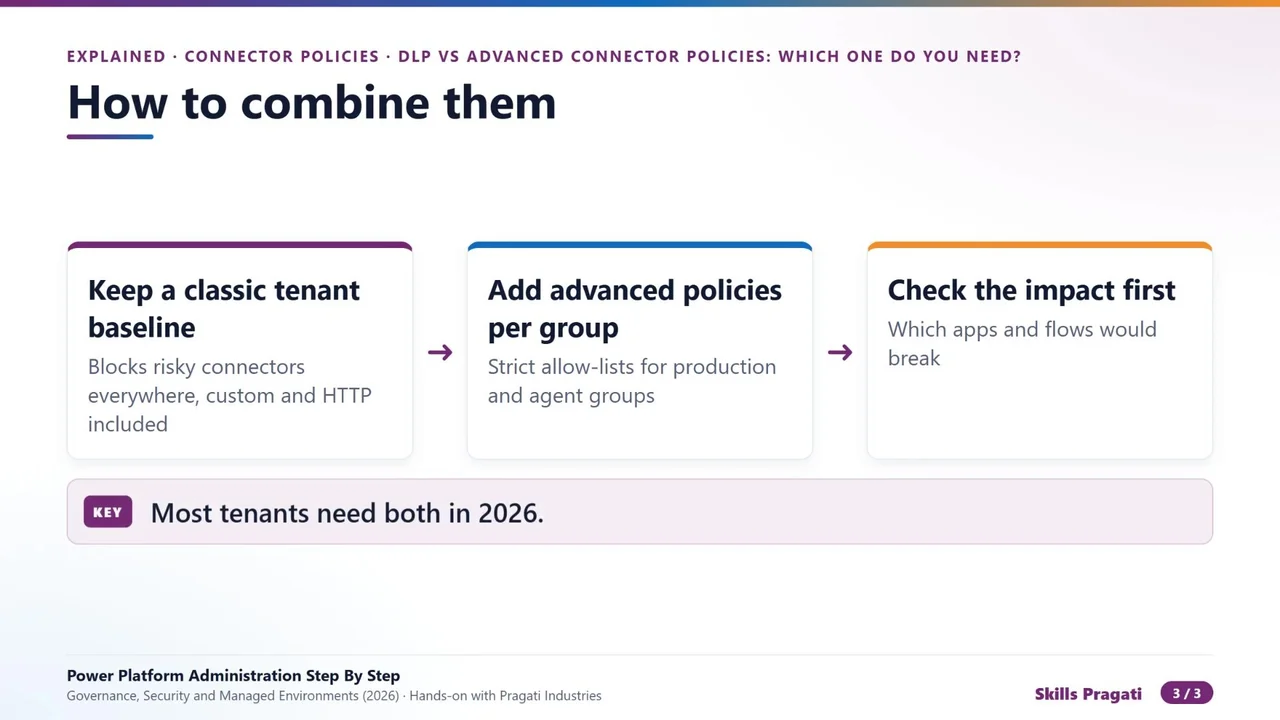
- Keep a classic baseline for the tenant. It blocks risky connectors everywhere, custom connectors and HTTP included, which advanced policies cannot cover yet.
- Add advanced policies per environment group, with strict allow-lists for production and agent environments.
- Check the impact before you enforce: which apps and flows would break.
Where to find them
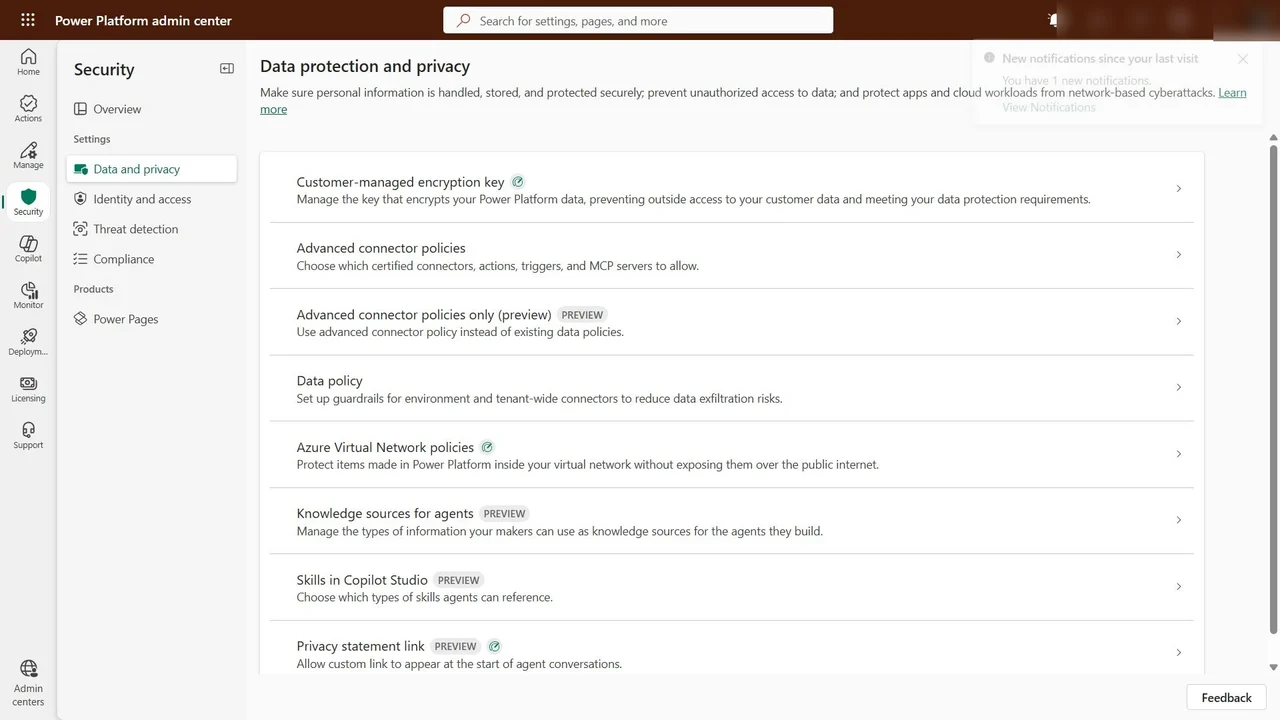
In the admin center: Security → Data and privacy. Advanced connector policies, the preview advanced-only mode, and the classic data policy sit side by side.
The checklist
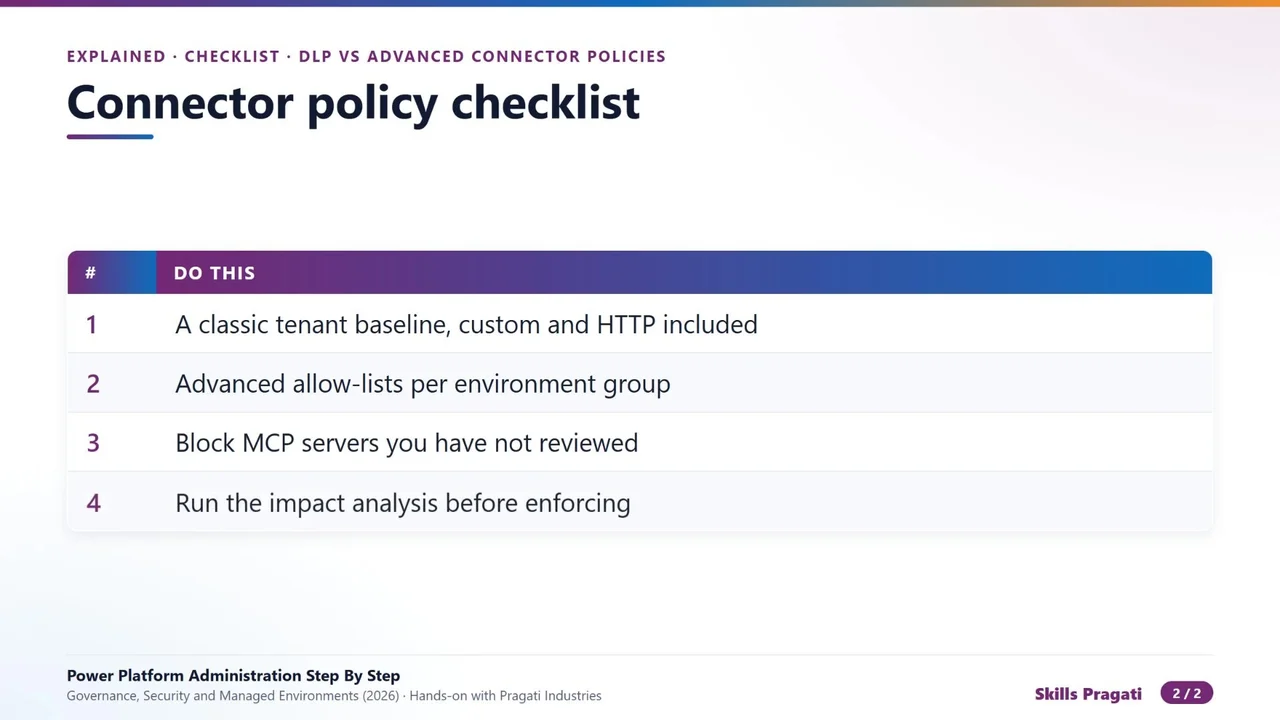
- A classic tenant baseline, custom connectors and HTTP included.
- Advanced allow-lists per environment group.
- Block MCP servers you have not reviewed.
- Run the impact analysis before enforcing.
The short answer
Use classic policies for the broad tenant-wide baseline. Use advanced policies where you need precision: single actions, agent environments and MCP servers. Together they cover what neither covers alone.
Do it yourself
- The full Power Platform Administration Step By Step courseEvery Part, free on YouTube, in order
- Hands-on lab guideThe exact steps, what it costs, how to clean up
- Practice simulationRehearse every click in your browser; the first lab is free
- Mock examFree 10-question sample, then the full timed mock scored by domain
Lab guides, practice and full mock exams come with a subscription. See the plans