IntermediateEnglish

Power Platform Administration Step By Step

Govern Power Platform for real: environments, Managed Environments, Dataverse security, data policies, routing, licences and capacity, monitoring and ALM, each lab automated with the pac CLI.

  • 29 videos
  • 1.5 h of video

Plays the full course playlist from YouTube in privacy-enhanced mode. Nothing loads from YouTube until you press play.

About this course

Power Platform Administration, step by step, for 2026: governance, security and Managed Environments, hands-on with one company, Pragati Industries.

The course overview, eighteen labs (the admin center, environments, Managed Environments, Dataverse security, the Security page, data policies, environment groups, routing, licences and capacity, inventory and monitoring, auditing, Copilot and agents, other products, ALM, continuity, tenant settings, exam-style questions and a capstone script) and ten Explained videos. Every lab ends with "Automate it" with the pac CLI.

Practice simulation

Practise every lab in your browser

15 labs and 87 steps rebuilt from the course videos. Practise each step with voice guidance, switch on Exam mode to test yourself, or press Watch to see the lab play. The first lab is free; the rest come with a subscription.

Try the free lab
  1. Lab 0 · The admin’s map Free

    2 sections · 11 steps · 8 to click

    Practise
  2. Lab 1 · Environments Subscribers

    3 sections · 17 steps · 12 to click

    Practise
  3. Lab 2 · Managed Environments Subscribers

    1 section · 6 steps · 4 to click

    Practise
  4. Lab 3 · Security in Dataverse Subscribers

    4 sections · 13 steps · 6 to click

    Practise
  5. Lab 4 · The Security page Subscribers

    1 section · 6 steps · 5 to click

    Practise
  6. Lab 5 · Data policies Subscribers

    1 section · 7 steps · 5 to click

    Practise
  7. Lab 6 · Environment groups Subscribers

    1 section · 4 steps · 4 to click

    Practise
  8. Lab 7 · Environment routing Subscribers

    1 section · 2 steps · 1 to click

    Practise
  9. Lab 8 · Licences and capacity Subscribers

    1 section · 5 steps · 3 to click

    Practise
  10. Lab 9 · Inventory and monitoring Subscribers

    1 section · 3 steps · 3 to click

    Practise
  11. Lab 10 · Auditing and data Subscribers

    1 section · 3 steps · 2 to click

    Practise
  12. Lab 11 · Copilot and agents Subscribers

    1 section · 3 steps · 3 to click

    Practise
  13. Lab 12 · Other products Subscribers

    1 section · 3 steps · 1 to click

    Practise
  14. Lab 13 · ALM Subscribers

    1 section · 2 steps · 1 to click

    Practise
  15. Lab 15 · Tenant settings Subscribers

    1 section · 2 steps · 1 to click

    Practise
Leader brief

What a technology leader should know about Power Platform Administration Step By Step

What it is

Power Platform administration puts controls around the apps, flows and agents that makers build: environments, security, data policies, money and automation of admin checks.

Why now

Without an admin, everything lands in the Default environment with no owner, no data policy and no backup plan. 2026 changes the rules: Managed Environments, new developer environment deadlines and agents everywhere.

Decisions you will make

  • Environment strategy and which environments become Managed Environments
  • Data policies: which connectors may share data
  • How capacity, licences and pay-as-you-go are controlled
  • How Copilot Studio agents are governed

Risks if ignored

  • Company data flows to personal services
  • Unmanaged developer environments are suspended at the deadline
  • Apps and agents with no owner or backup
  • Unexpected capacity bills

Cost

Free: A developer or trial tenant and a free developer plan cover the labs.

Paid: Capacity, pay-as-you-go and Copilot Studio credits are paid; the course shows them only.

Our lab: Nothing that costs money was switched on.

Who owns what

Power Platform adminEnvironments, groups, data policies, tenant settings
SecurityDataverse security roles and auditing
Finance/ITLicences, capacity and billing

Questions to ask your team

  • How many apps live in the Default environment?
  • Which connectors can move company data out today?
  • Who owns each production app and agent?
  • What do we pay for capacity, and who watches it?
Course videos

All 29 videos, in order

Playlist on YouTube
  1. 14:15Course OverviewOverview
  2. 26:08Lab 0: The admin’s map, admin roles and the pac CLIHands-on
  3. 33:15Power Platform Admin Roles Explained: Global Admin vs Power Platform Admin vs Environment MakerExplained
  4. 46:21Lab 1: Environments and their lifecycleHands-on
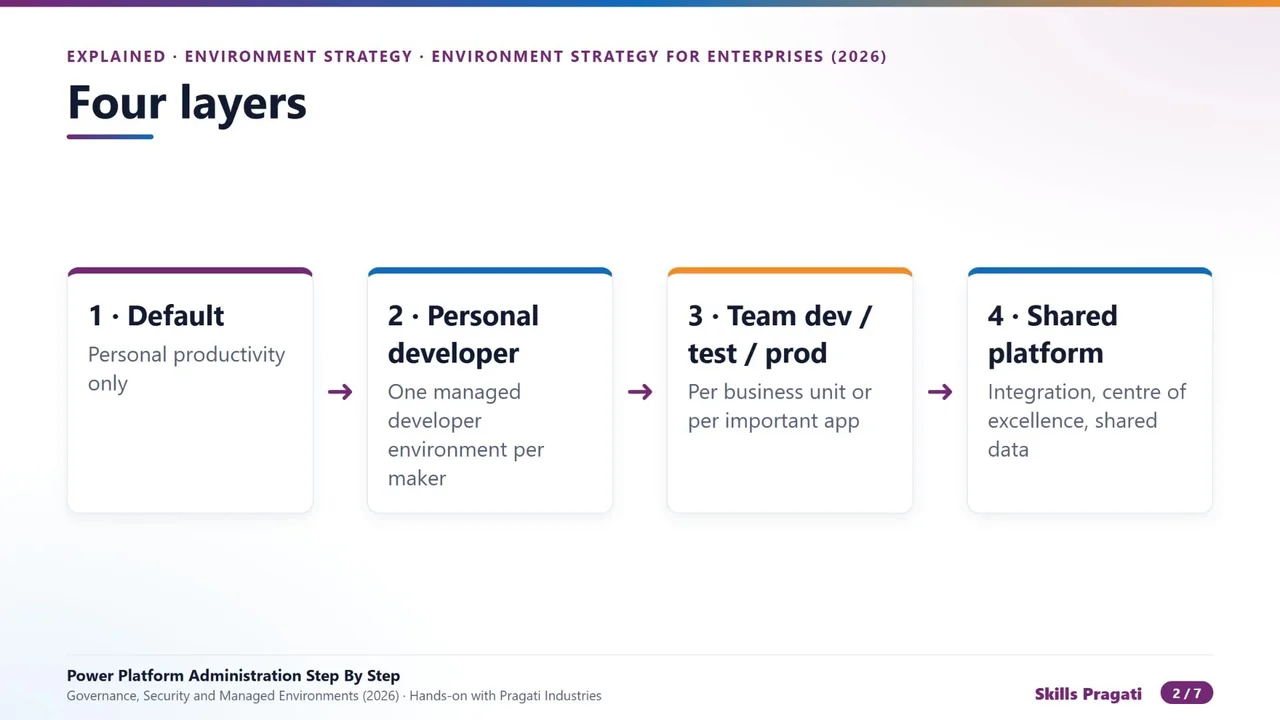
  5. 54:54Power Platform Environment Strategy for Enterprises (2026)Hands-on
  6. 62:26Dataverse vs SharePoint Lists vs Excel vs Dataverse for Teams: Where Should Business Data LiveExplained
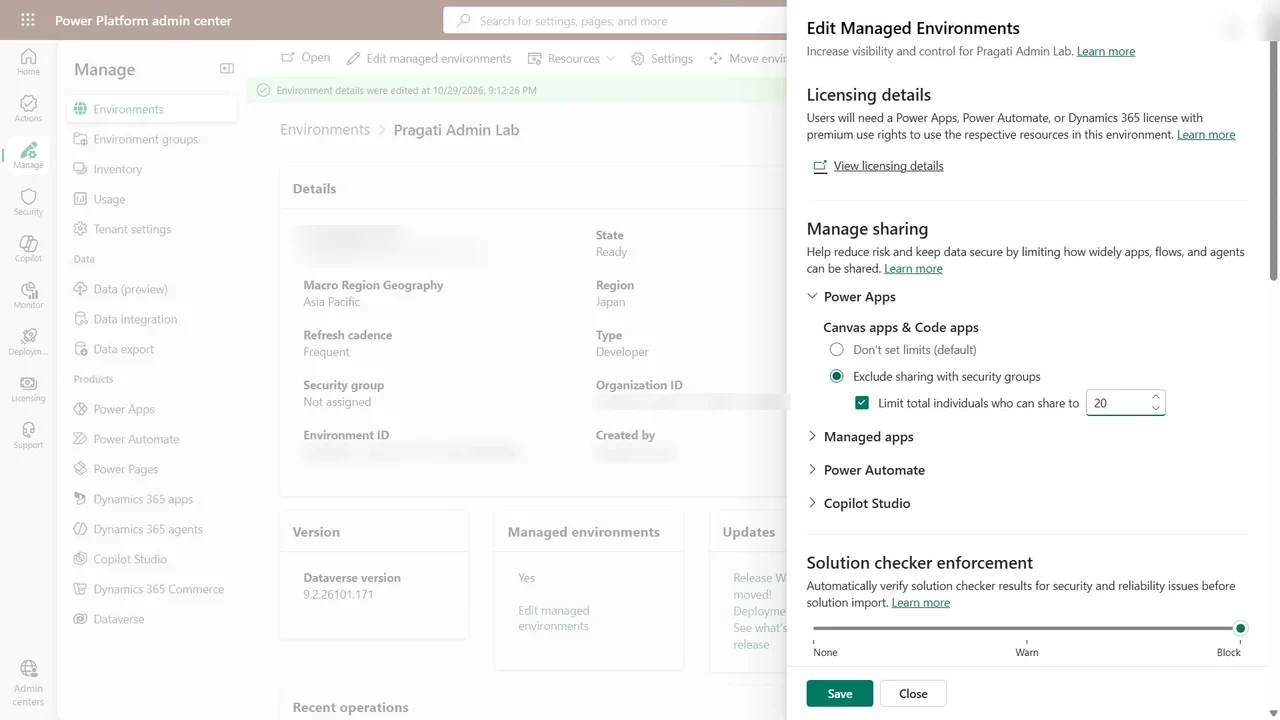
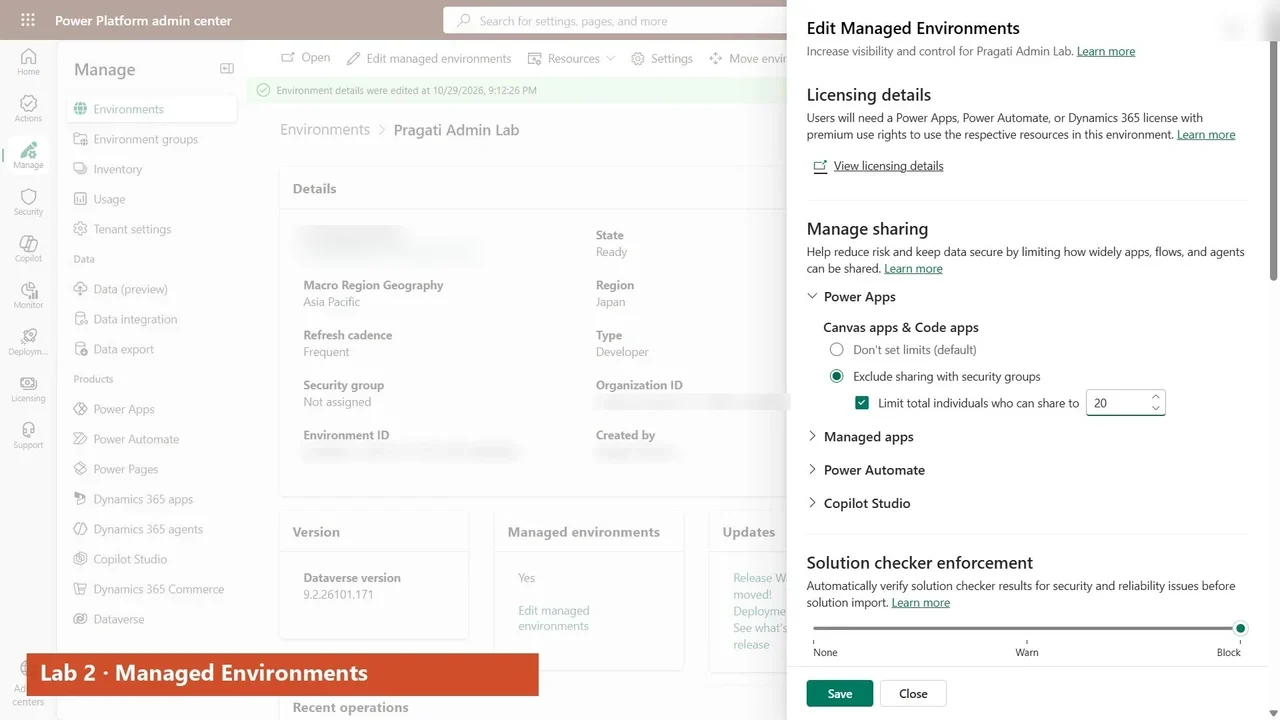
  7. 73:44Lab 2: Managed EnvironmentsHands-on
  8. 82:59Managed Environments Explained: What Every Admin Must Do Before February 2027Explained
  9. 94:56Lab 3: Security in DataverseHands-on
  10. 103:13Lab 4: The Security pageHands-on
  11. 113:40Lab 5: Data policies and advanced connector policiesHands-on
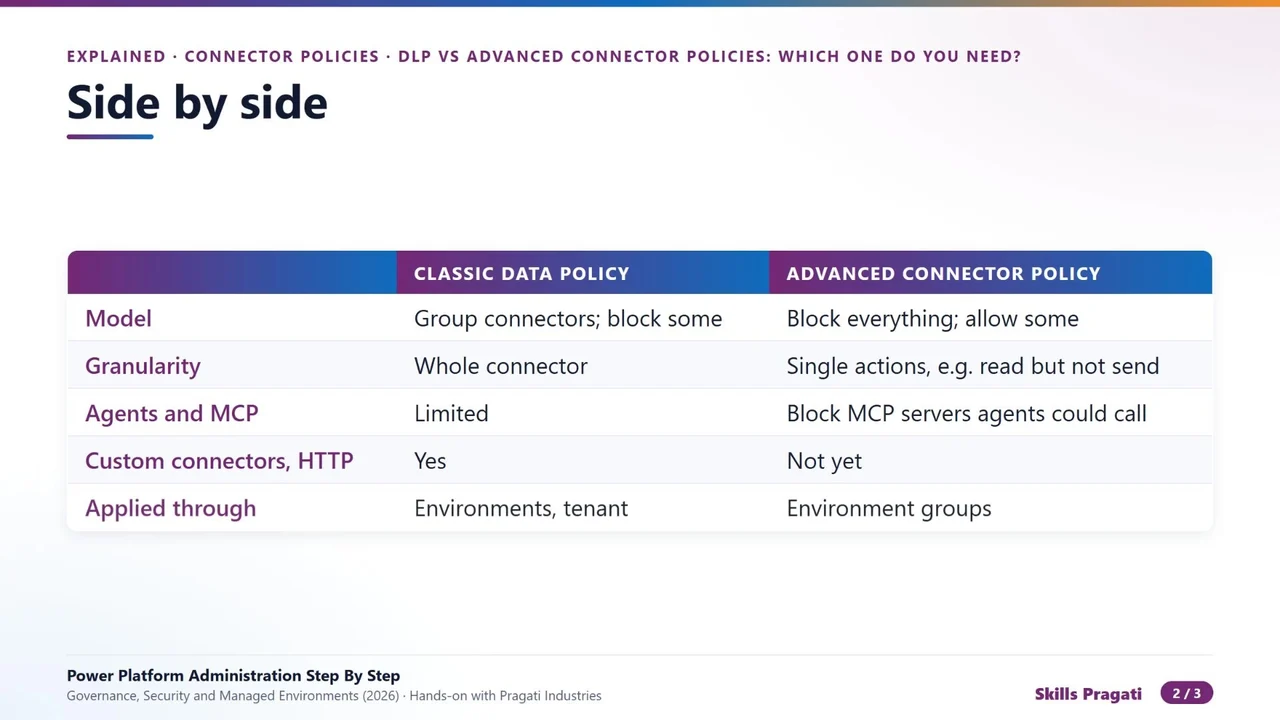
  12. 122:12DLP vs Advanced Connector Policies: Which One Do You NeedExplained
  13. 132:32Lab 6: Environment groups and rulesHands-on
  14. 141:49Lab 7: Environment routing and maker onboardingHands-on
  15. 152:07Lab 8: Capacity, licensing and billingHands-on
  16. 164:14Power Platform Billing Explained: Licences, Capacity and Pay-as-you-goExplained
  17. 172:15Standard vs Premium Connectors: What Triggers a Power Apps LicenceExplained
  18. 181:55Lab 9: Inventory, monitoring and ActionsHands-on
  19. 192:09Lab 10: Auditing, retention and data exportHands-on
  20. 202:05Lab 11: Copilot and agent governanceHands-on
  21. 212:00Stop Shadow Agents: Governing Copilot Studio in Power PlatformHands-on
  22. 221:42Lab 12: Power Automate, Power Pages and Dynamics 365Hands-on
  23. 232:37Lab 13: ALM and the Deployment pageHands-on
  24. 242:05Managed vs Unmanaged in Power Platform: Solutions AND Environments ExplainedExplained
  25. 251:56Lab 14: Business continuityHands-on
  26. 261:40Lab 15: Tenant settings and governanceHands-on
  27. 271:56The CoE Starter Kit Is Retired: What Replaces ItHands-on
  28. 288:19Lab 16: Exam-style questionsHands-on
  29. 292:15Lab 17: Automate it: the capstone scriptHands-on

More in Power Platform

PL-900Fundamentals

Microsoft Power Platform Step by Step

Build a procure-to-pay system from zero: Dataverse, canvas and model-driven apps, a React code app, cloud and desktop flows, AI Builder and a Copilot Studio agent, then govern it.

  • Hands-on lab
  • Practice sim
  • Mock exam

20 videos3.4 h17 practice labs
Watch on YouTube