

Power Platform Administration Step By Step Which one when · Explained
Power Platform Environment Strategy: 4 Layers That Scale
Four layers of environments, dev-test-prod with pipelines, groups and routing, naming and ownership rules, and the 2026 developer environment deadlines.

Every Power Platform tenant starts the same way: everyone builds in the Default environment, and a year later nobody knows which app is critical, who owns it, or where its data lives. An environment strategy prevents that.
Four layers
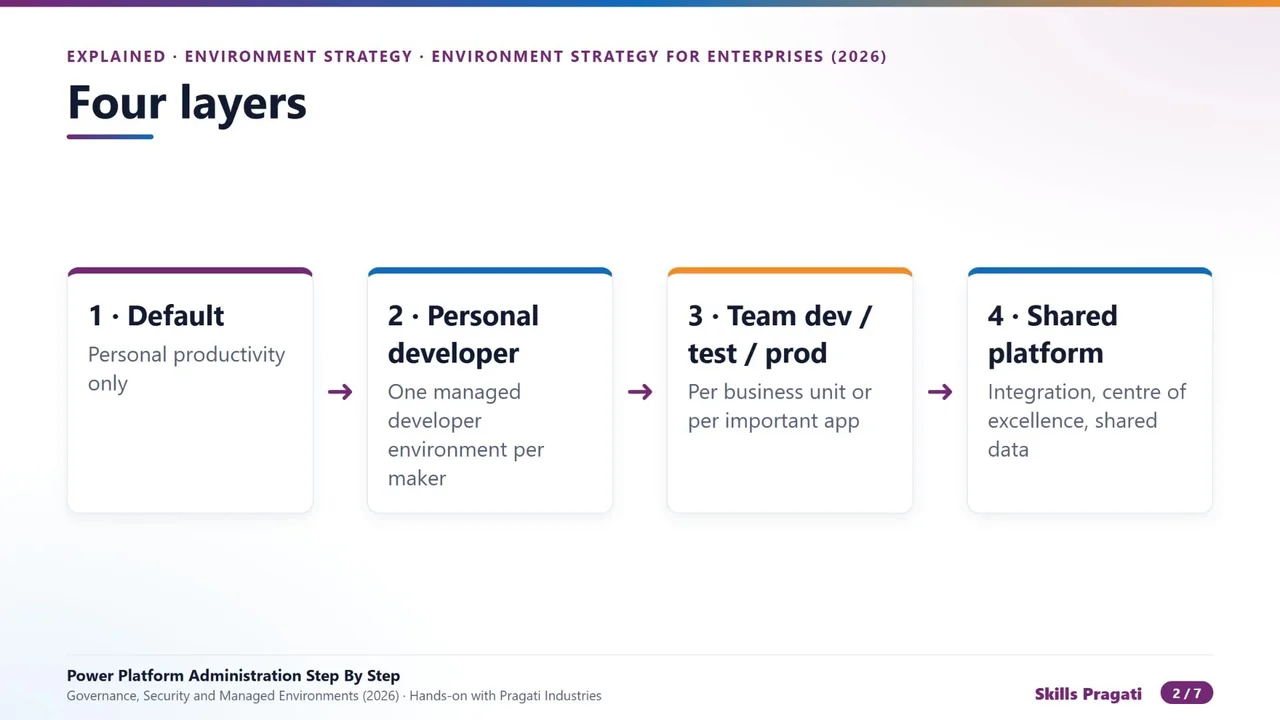
- Default: personal productivity only, small personal apps and flows.
- Personal developer environments: one per maker, managed, where people learn and build.
- Dev, test and production for each business unit, or each important app.
- Shared platform environments: integration, the centre of excellence, shared data.
Dev, test, production
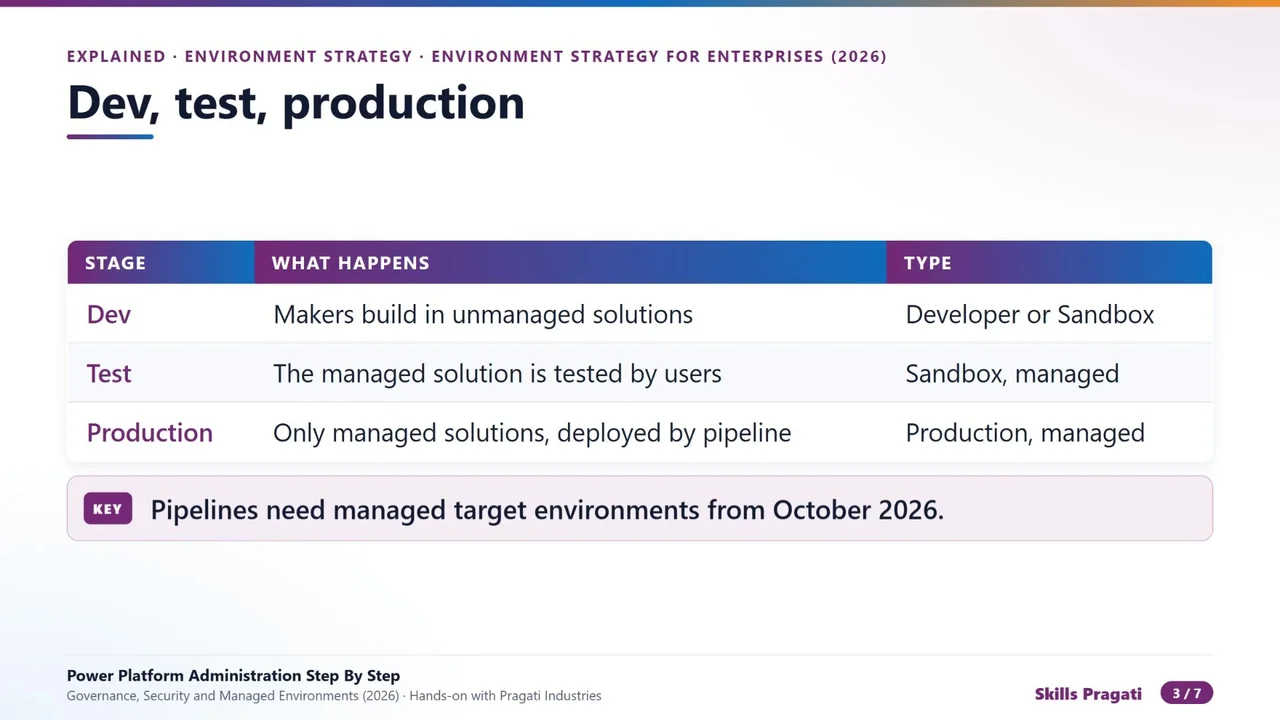
- Dev: makers build in unmanaged solutions.
- Test: the managed solution is tested by real users.
- Production: only managed solutions, deployed by a pipeline, never edited by hand.
From October 2026, pipelines need managed target environments.
Groups, rules and routing
Do not configure fifty environments one by one. Group them by business unit or tier, such as Finance, Personal developer or Production. Rules set on the group flow down: sharing limits, connector policies, backup retention, AI features. Environment routing puts every new maker straight into a personal developer environment inside a group, already governed.
Every environment, the same four facts
- A name that says who and what: company, unit, purpose and stage.
- Two named owners: one from the business, one technical.
- A security group on every production and sandbox environment.
- The region where the data must live: moving it later is a project.
Who may create environments
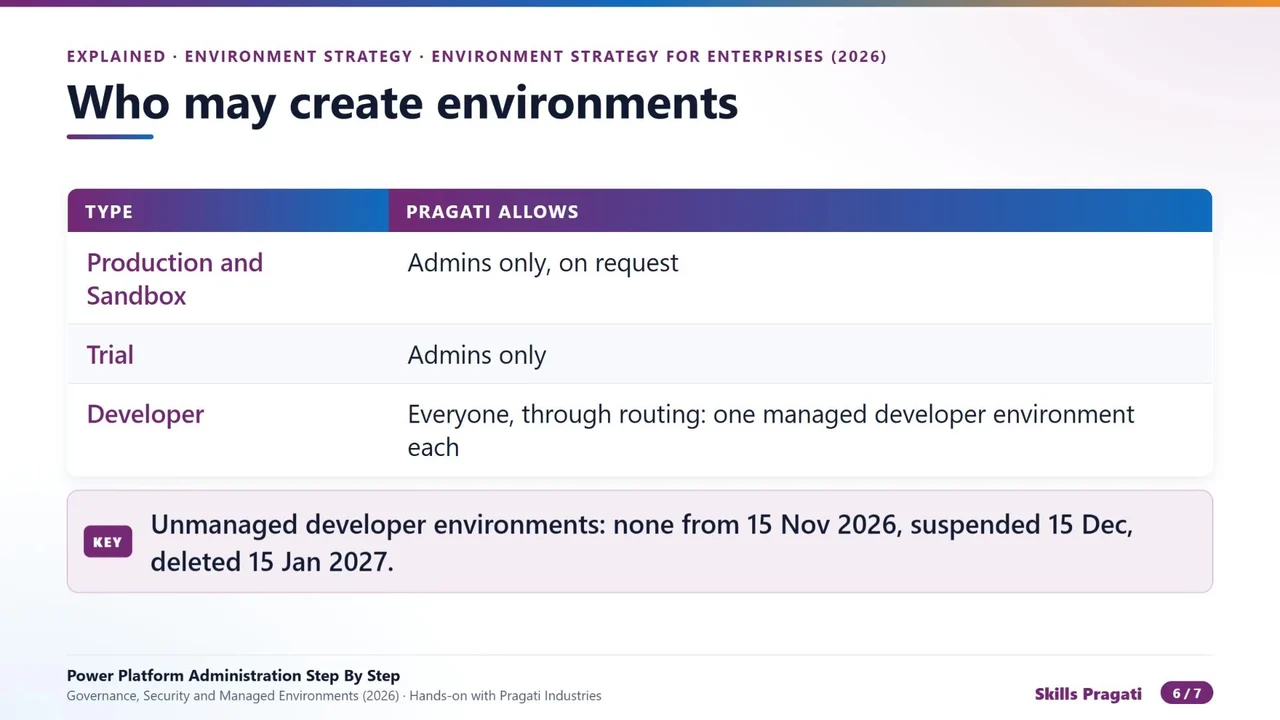
The 2026 deadlines for unmanaged developer environments: none new from 15 November 2026, suspended from 15 December, deleted from 15 January 2027.
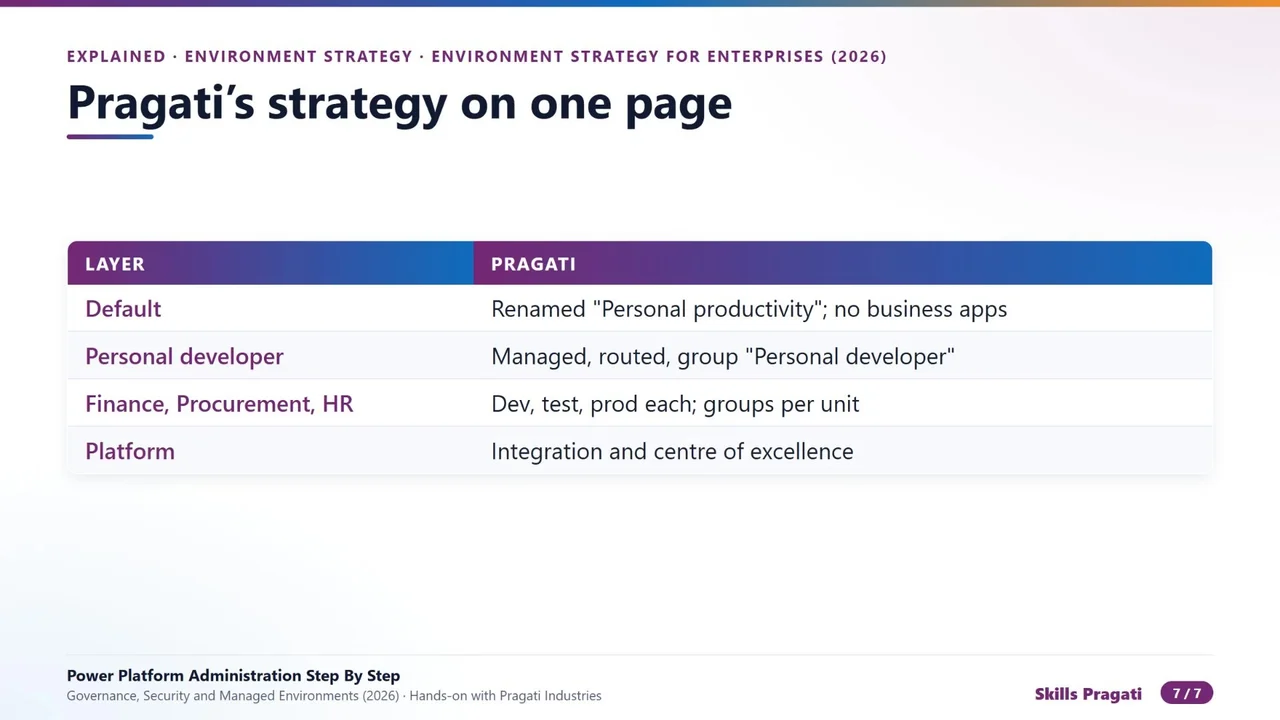
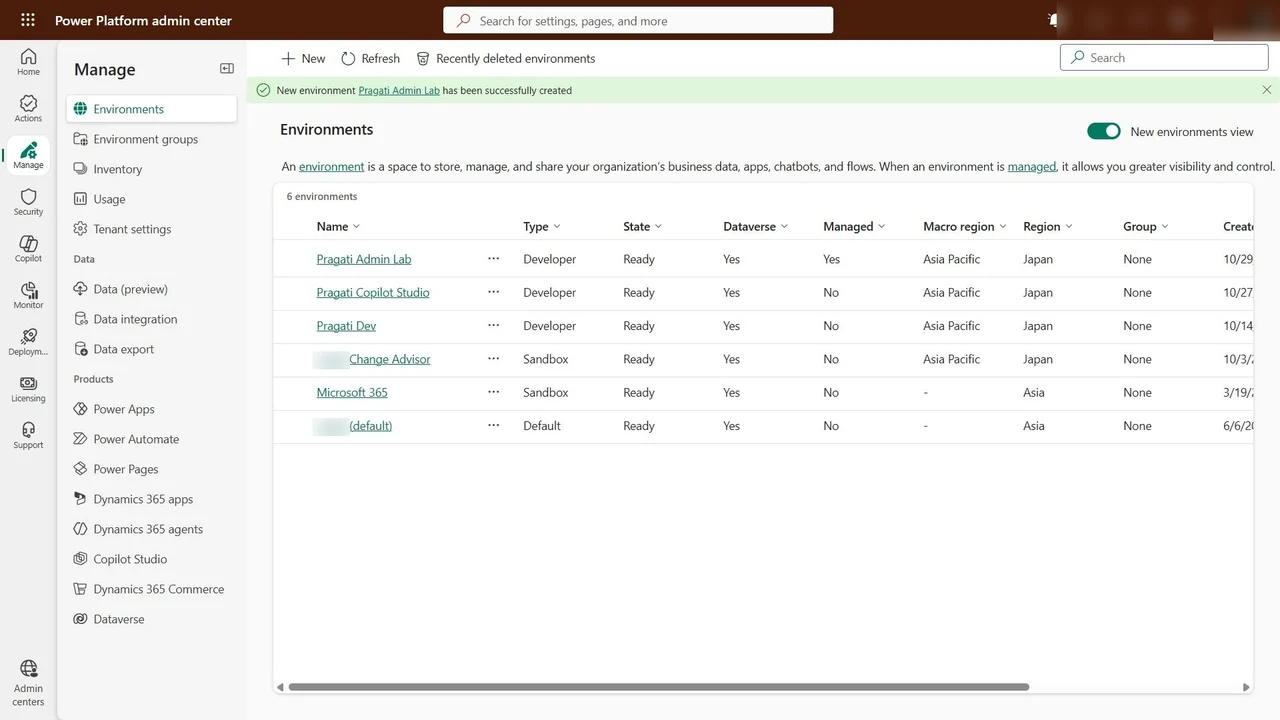
An example on one page
The checklist
- The Default environment is for personal productivity only.
- One managed developer environment per maker, through routing.
- Dev, test and production for what the business depends on, with pipelines to managed targets.
- Groups carry the rules; every environment has a name, owners, a security group and a region.
- Restrict who creates environments, and review the list every quarter.
Do it yourself
- The full Power Platform Administration Step By Step courseEvery Part, free on YouTube, in order
- Hands-on lab guideThe exact steps, what it costs, how to clean up
- Practice simulationRehearse every click in your browser; the first lab is free
- Mock examFree 10-question sample, then the full timed mock scored by domain
Lab guides, practice and full mock exams come with a subscription. See the plans