

Advanced Excel Masterclass in Hindi Step by step · Lab 17
Copilot in Excel: Prompts You Can Verify, Not Just Trust
Use AI to write and debug Excel formulas faster, then prove every result: test known cases, reconcile another way, keep confidential data out.

The video for this lab is in Hindi; the formulas on screen are standard Excel.
AI can write an Excel formula in seconds. It can also write a wrong one that looks perfectly reasonable. Lab 17 uses AI to speed up, and then verifies everything.
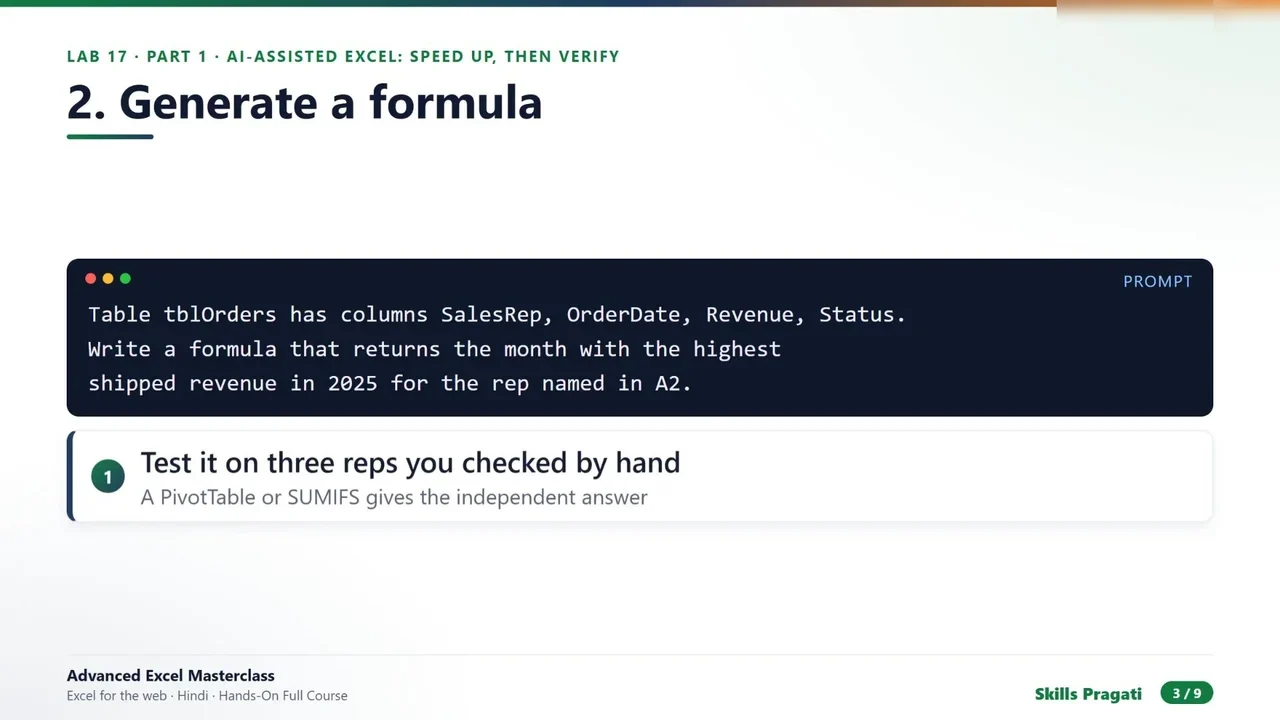
Step 1: Prompt with the facts
Tell the AI exactly what exists: the table name and its columns.
Step 2: Test the AI’s formula independently
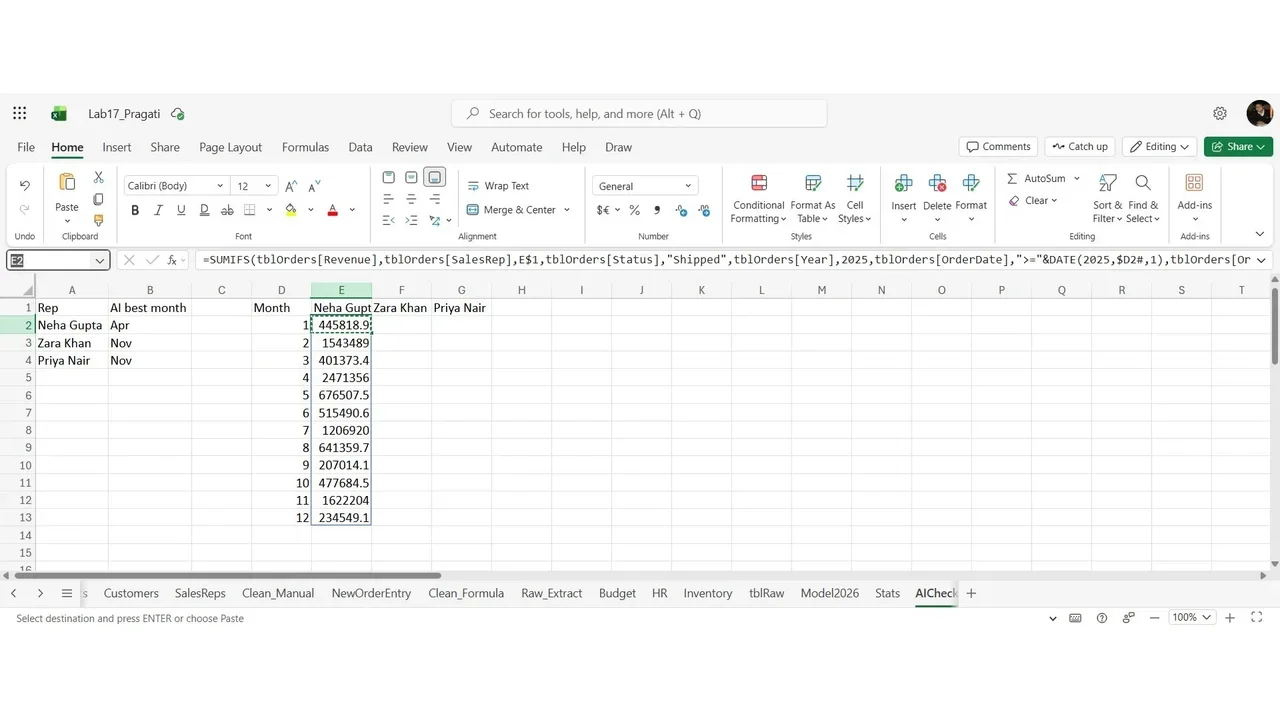
For each rep, the AI’s “best month” is compared with an independent calculation: a grid of SUMIFS by month for shipped 2025 revenue. If the highest month in the grid matches the AI’s answer for three reps, the formula has passed a real test.
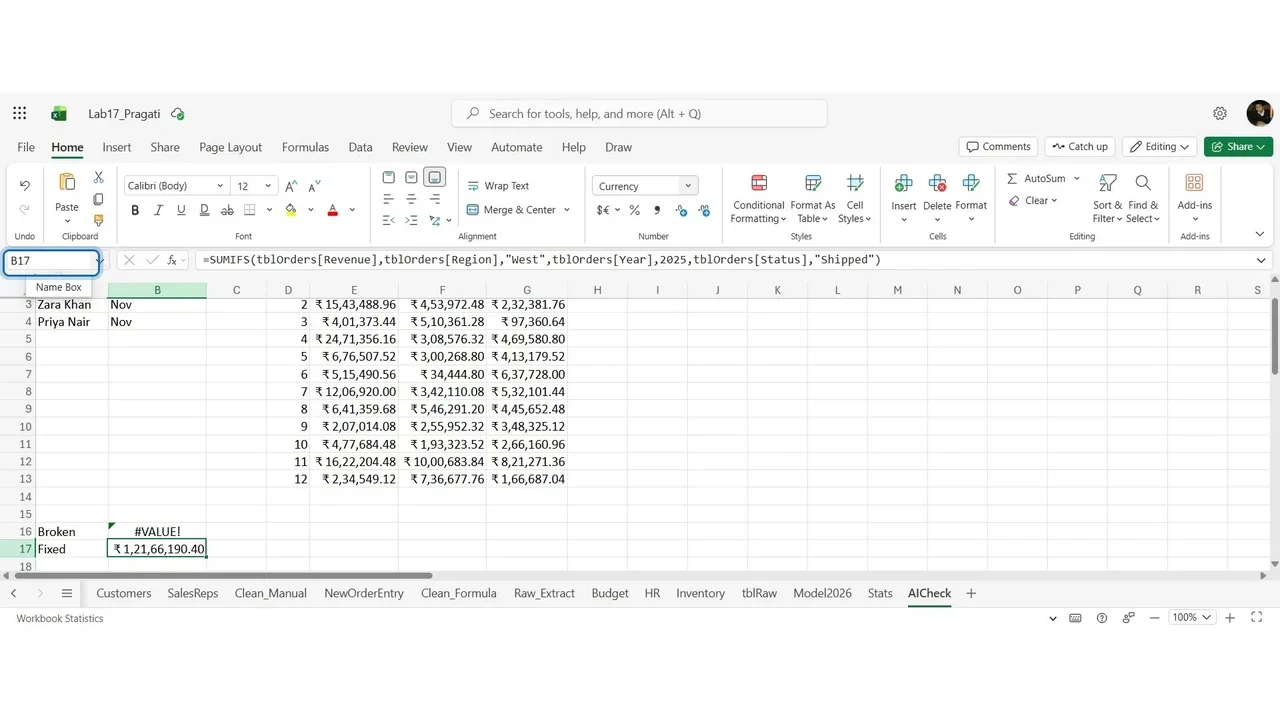
Step 3: Debug a broken formula, and reconcile
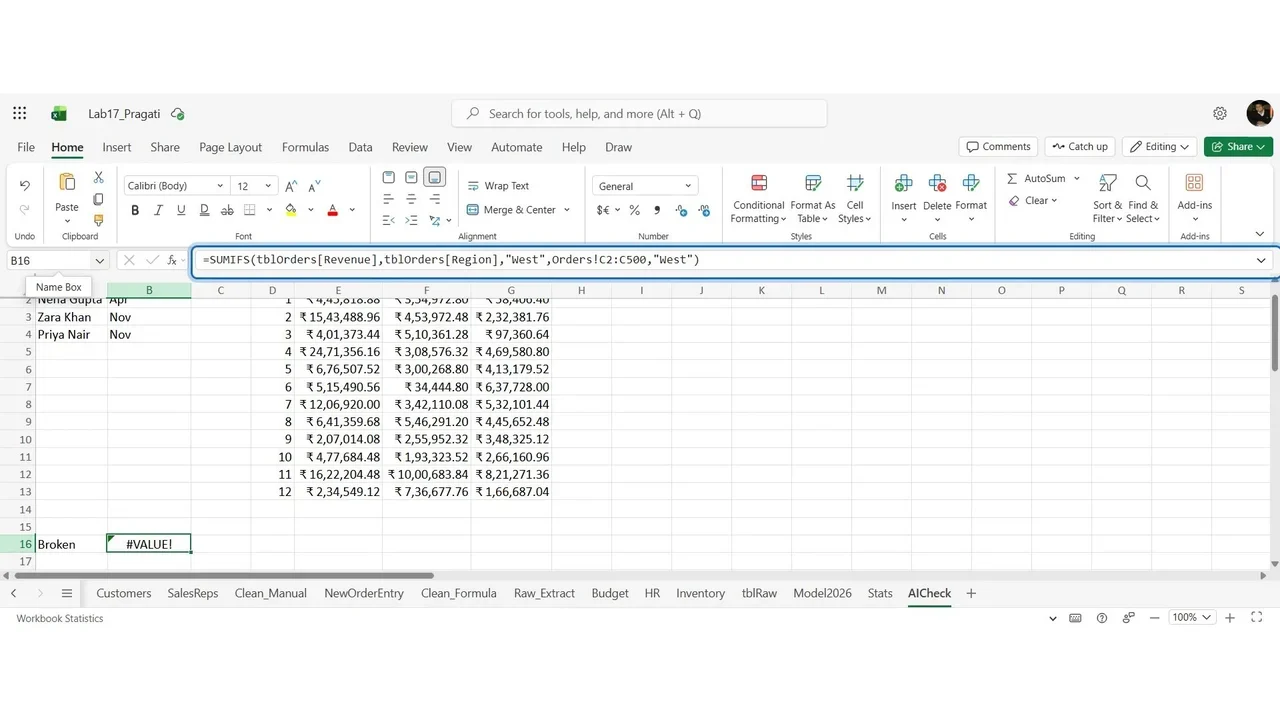
A deliberately broken formula returns #VALUE!:
=SUMIFS(tblOrders[Revenue],tblOrders[Region],"West",Orders!C2:C500,"Shipped")The real cause: the criteria range is a different size from the sum range, and points to the wrong column. The fix uses tblOrders[Status]. Then reconcile the fixed result with a total you already know.
Step 4: Data responsibility
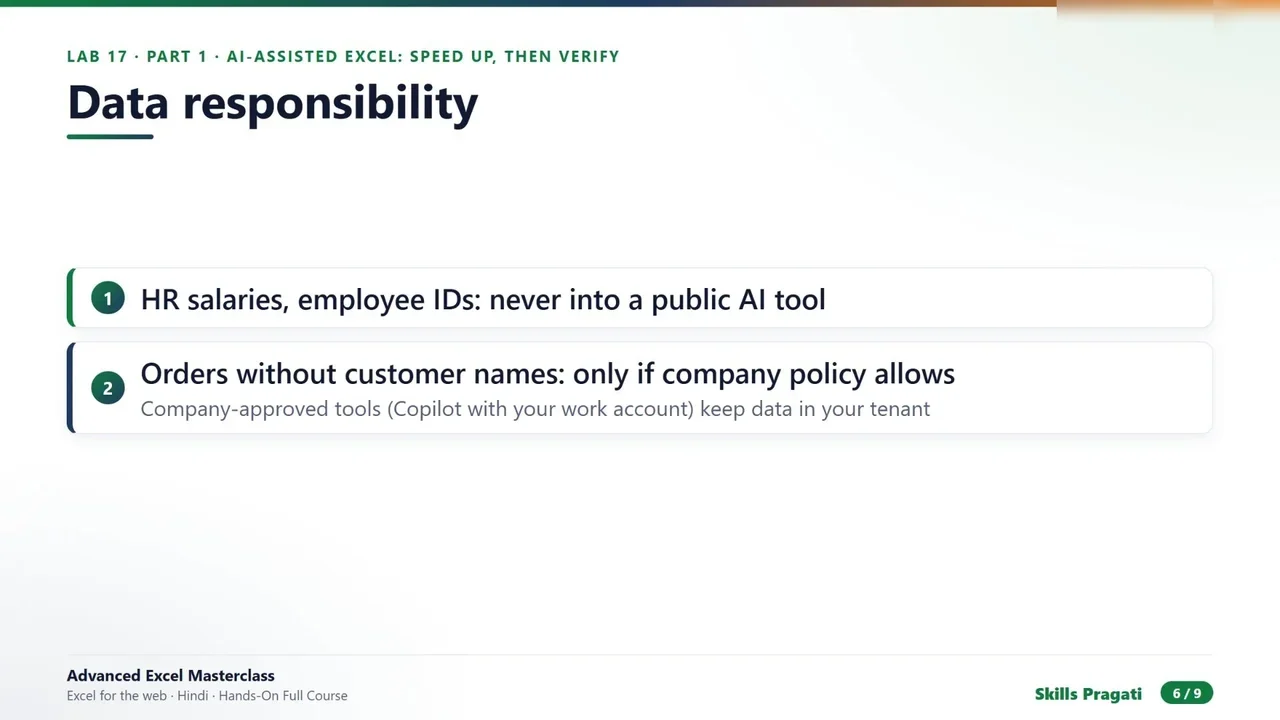
HR salaries and employee IDs never go into a public AI tool. Company-approved tools, such as Copilot with a work account, keep data in your tenant. When in doubt, share an anonymised sample instead.
A validation checklist for every AI formula
- Tested on known cases?
- Tested on edge cases: blank, zero, missing ID?
- Reconciled to an independent method?
- Uses functions available in your audience’s Excel version?
Do it yourself
- The full Advanced Excel Masterclass in Hindi courseEvery Part, free on YouTube, in order
- Hands-on lab guideThe exact steps, what it costs, how to clean up
- Practice simulationRehearse every click in your browser; the first lab is free
- Mock examFree 10-question sample, then the full timed mock scored by domain
Lab guides, practice and full mock exams come with a subscription. See the plans